
Auto Labeling
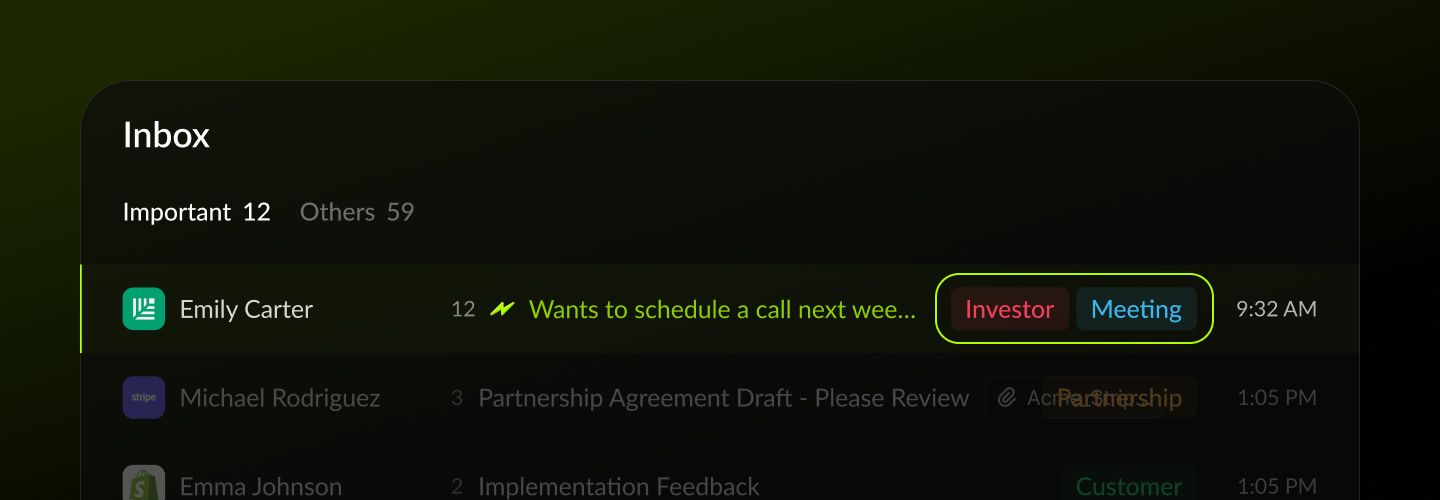
What is Auto Labeling?
Every time a new email arrives, Taurin’s AI automatically assigns it a label.
Labels describe the context or purpose of the message, things like a request, an update, or a notification.
This helps you quickly understand what the email is about, even before reading it.
How it works
Auto Labeling uses our predefined label set.
The AI looks at the language, structure, sender, and past patterns to decide which label fits best.
Examples:
A message asking for a reply → Request
A product update from your team → Update
A password reset email → Notification
Default labels
The system uses a set of shared labels that all users start with.
Can I change the label?
Yes.
If the AI assigns the wrong label, you can update it manually.
Taurin will learn from your input over time.
You can also add multiple labels or remove them entirely.
Why this matters
Auto Labeling reduces decision fatigue.
Instead of asking “what kind of email is this?”, you already know.
That means you can archive, reply, or skip with more confidence and less effort.
Language settings
Labels are applied in the language you selected during onboarding.
You can change this anytime in Settings, and future labels will follow your new language.
Viewing labeled emails
You can view all emails with a specific label using the Label Viewer in the left sidebar.
This lets you see related messages grouped together in one place.
📌 Tip
Auto Labeling service is only available for emails received less than 3 months ago for optimization purposes.Was this helpful?