
Archiving
What does it mean to archive?
Archiving means you’ve made a decision.
You’ve read the message, handled it (or decided not to), and cleared it from your inbox.
The email isn’t gone. It’s just not in your way anymore.
Why it matters
Your inbox should help you focus, not weigh you down.
Archiving is how you create space in your screen, and in your mind.
You don’t need to delete.
You just need to move on.
What happens when you archive
The email disappears from your inbox
It moves to the Archive tab
It stays searchable and threaded
Labels and summaries remain intact
How to archive
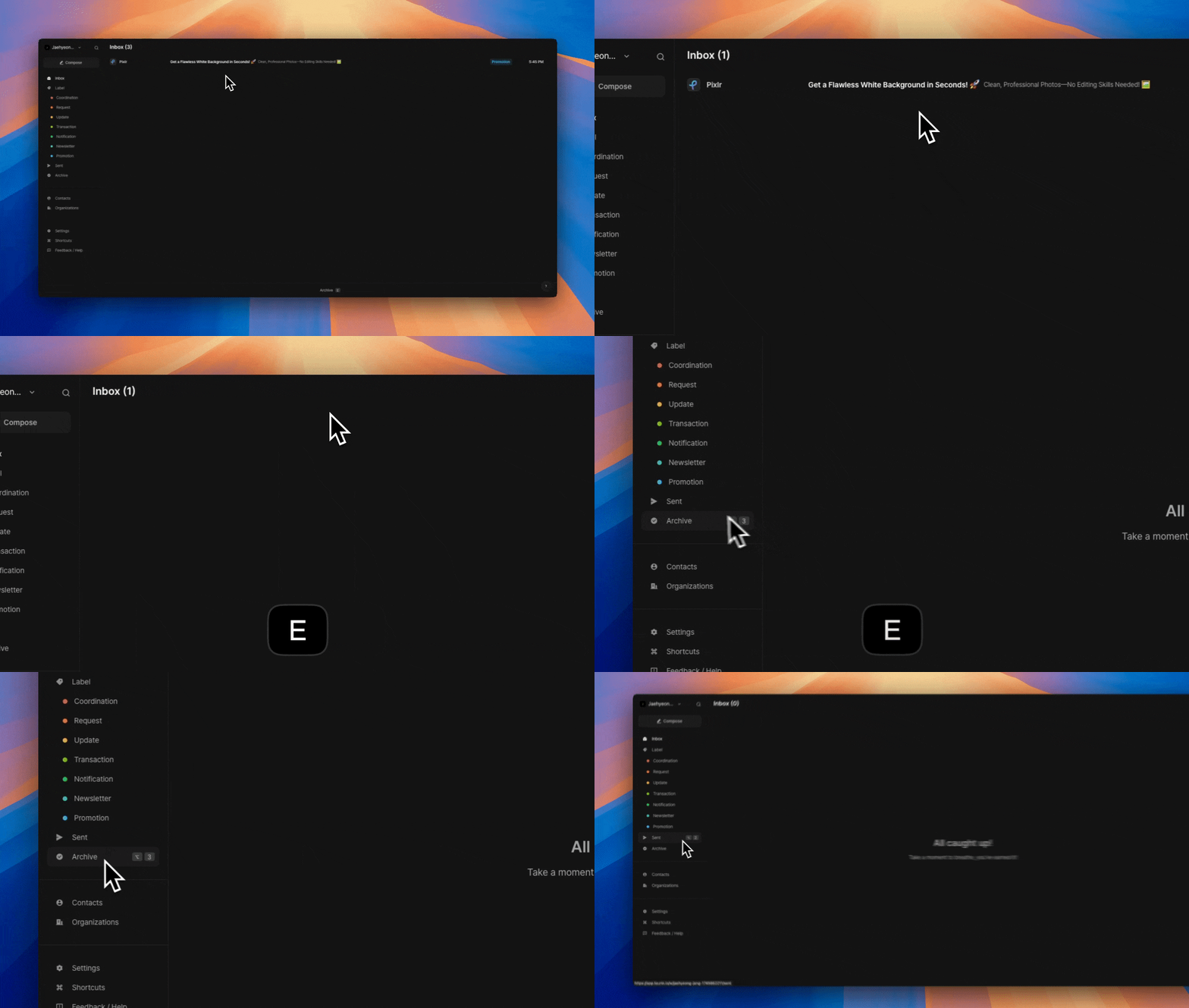
You can archive emails in a few ways:
Hover over a single email and press
EUse multi-select to select multiple emails, then press
Eor use the Archive tooltip
That’s it. Just archive and move on.
How to bring emails back
To move an archived email back to your inbox:
Go to the Archive tab
Select the email(s)
Press
Z
This restores them to your inbox. It works for single or multiple emails at once.
Coming soon: Smart bulk archiving
We’re working on a feature to let you archive entire groups of low-priority emails in one click.
Start clearing faster, without thinking too hard.
📌 Tip
Inbox Zero isn’t a myth. It’s just a habit.
Archive freely, trust your tools, and let your inbox breathe.Was this helpful?