
Inbox basics
Your workspace starts here
Taurin’s Inbox is designed as a decision space, not a place for clutter.
It shows you what matters now.
Here’s what your Inbox looks like:
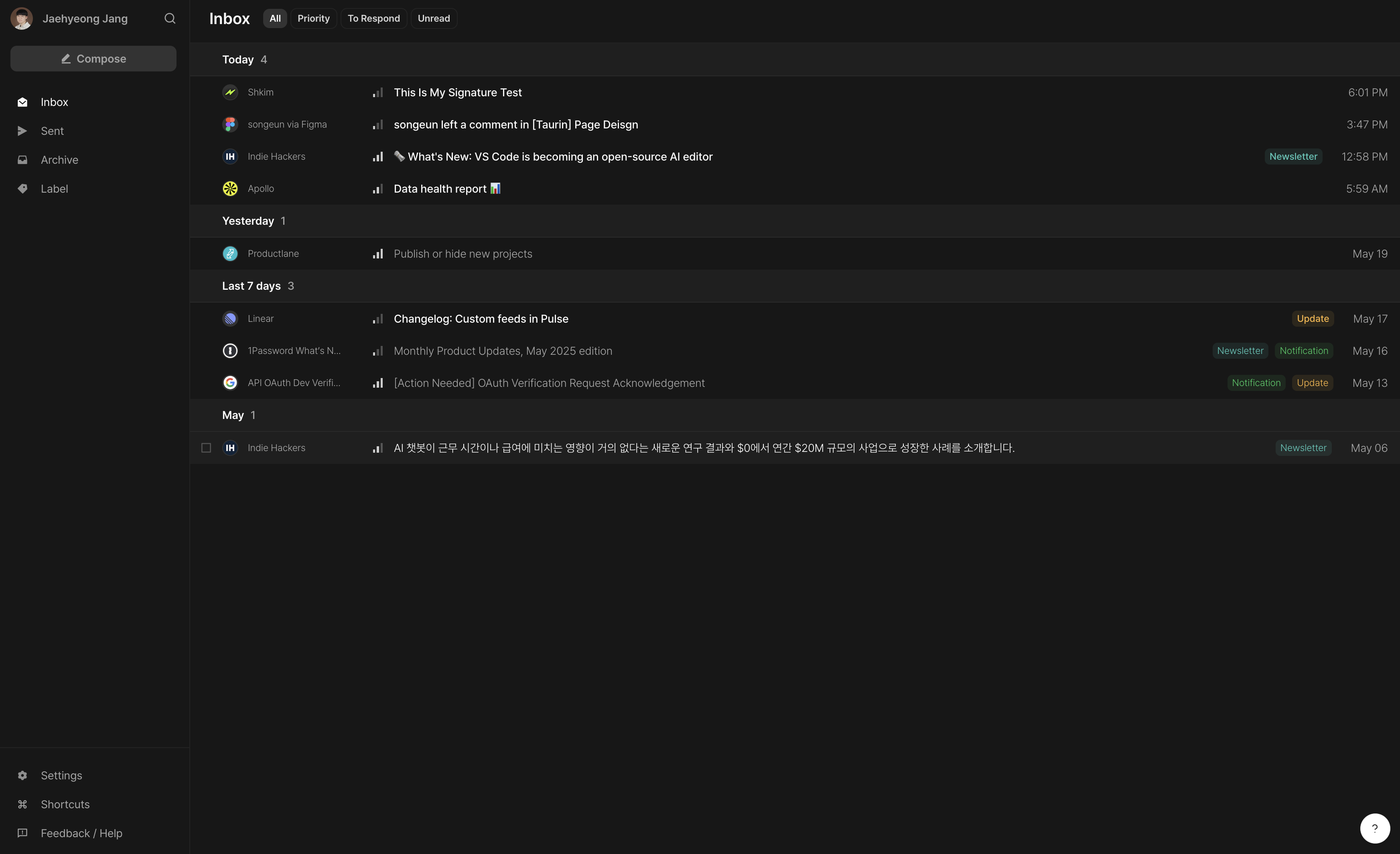
What you’re looking at
View Switcher
At the top of your inbox, toggle between different views like:Inbox – all recent emails
Priority – emails grouped by importance from Urgent to Low
To Respond – conversations waiting on your response
Unread – all unread emails in one place
Sender + Icon
Easily recognize the source like people, teams, tools.
Subject Line
Clean and focused. No snippets, no overload.
Priority Signal
The vertical bar indicates how important this email might be.
Hover Summary
Move your mouse over the subject to see the AI summary instantly.
Labels + Time
On the right, you’ll see auto-assigned labels (like Notification, Promotion) and the received time.
Checkbox (on hover)
Appears when hover. select multiple emails for quick bulk actions (like Archive)
How to use this view
Scan
Look at Priority Signal first. Start there.Hover
Use the AI Summary to avoid opening emails unnecessarily.Decide
Reply, Label, or Archive. That’s it.
This is your triage zone. Fast, focused, and clean.
Why we don’t show the email body?
You won’t see the full text of every email in your inbox.
That’s because AI Summary does it better. It gives you what matters without the noise.
No distractions. No guesswork.
Just clear, fast decisions.
📌 Tip
Taurin works best if you treat your inbox like a real-time feed.
You don’t need to “keep track” of every email.
If it’s important, it’s surfaced. If not, you can let it go.Was this helpful?