
Taurin changelog
Taurin Update: Leap in Design
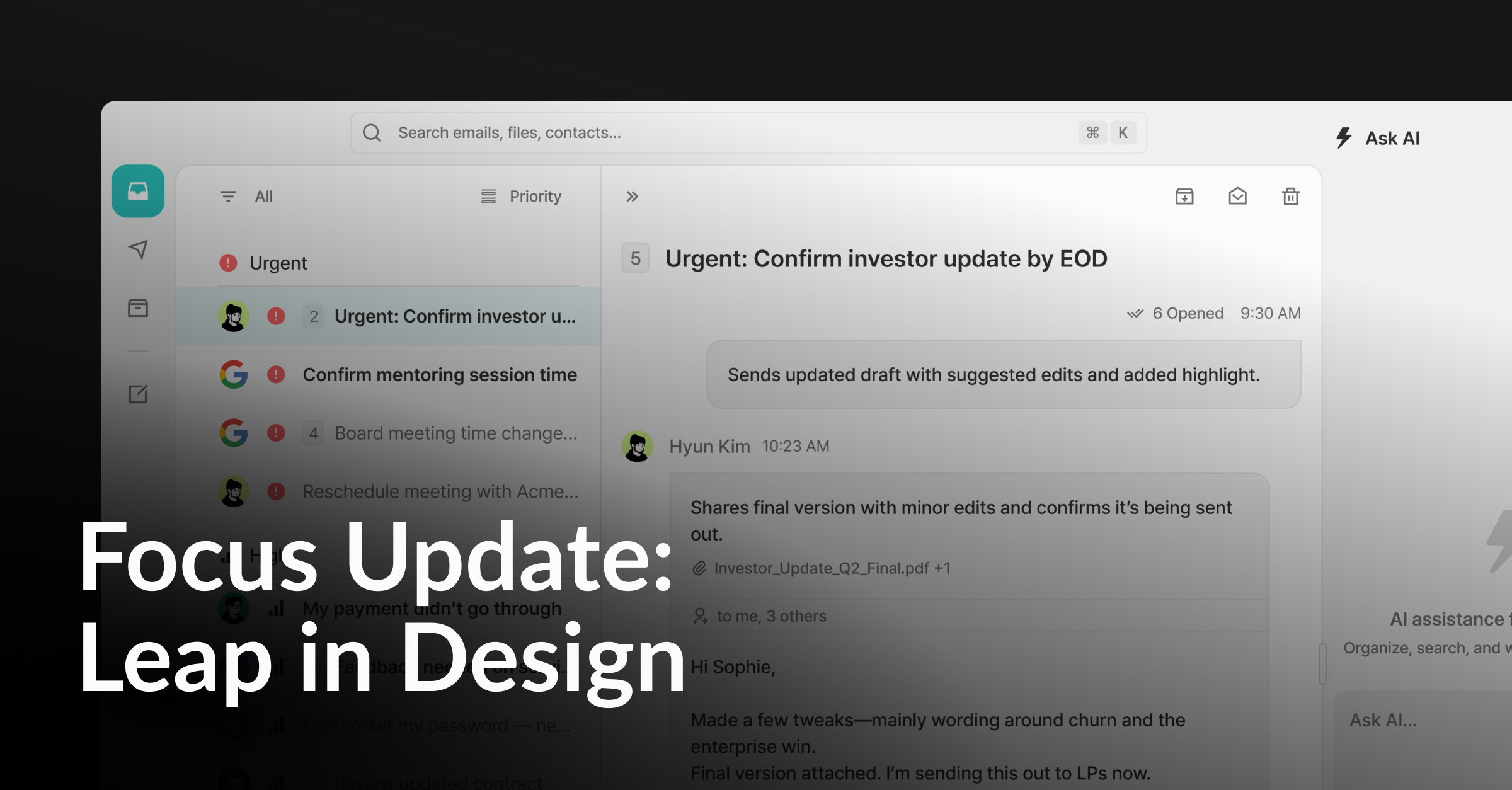
We’ve completely reworked the UI, now with split view for mail list & thread details, so you see more at once.
You can also build your own custom filters like Lego blocks. flexible, personal, powerful.
We know big changes can be jarring, but we’ve crafted this with care. We truly believe this update brings us much closer to the product we’ve envisioned.
✨ Improved
Leap in Design
Split-view layout
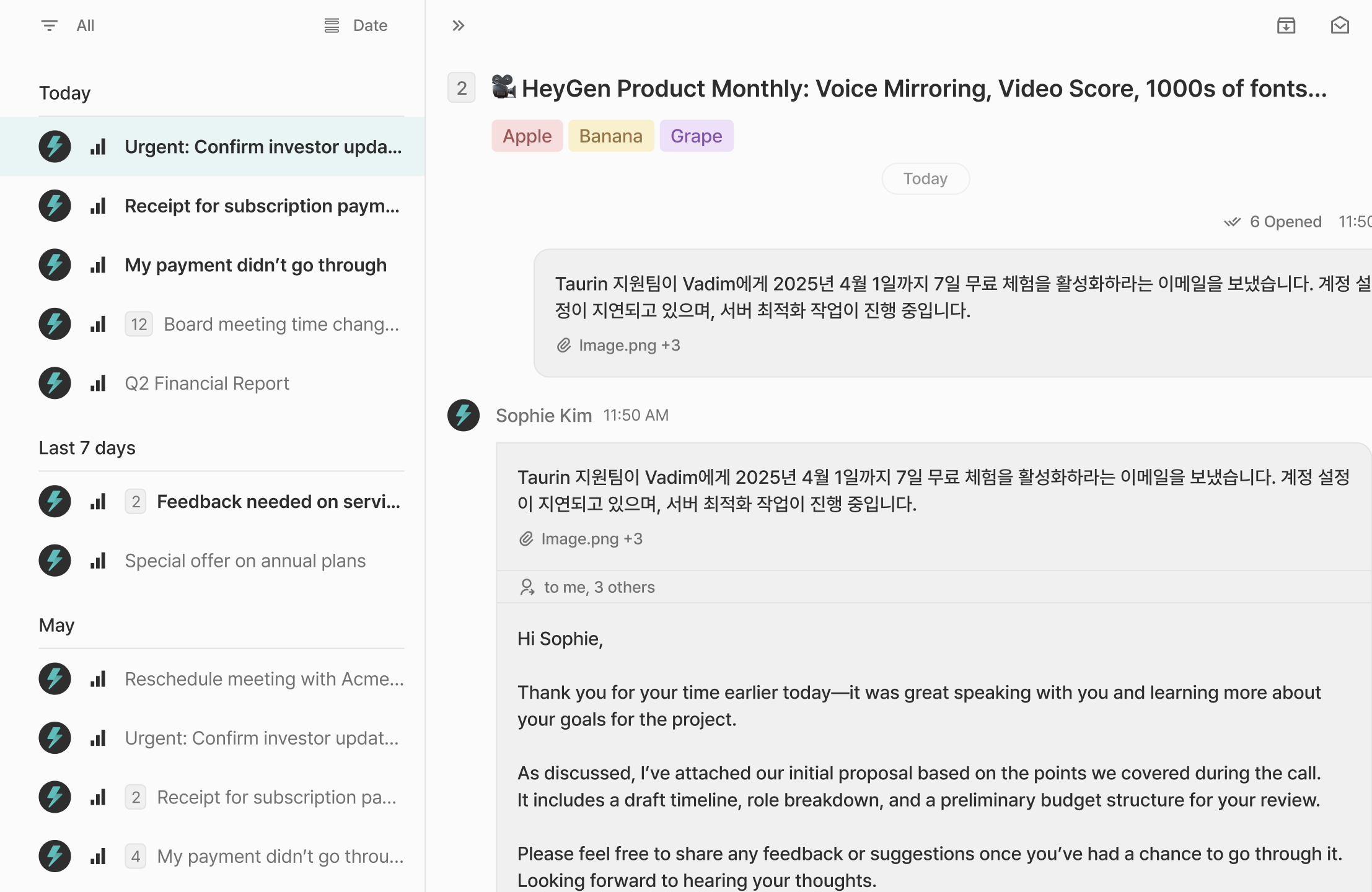
Now you can browse emails and read them side by side. It’s clean, it’s fast, and it just feels right.
Customizable views
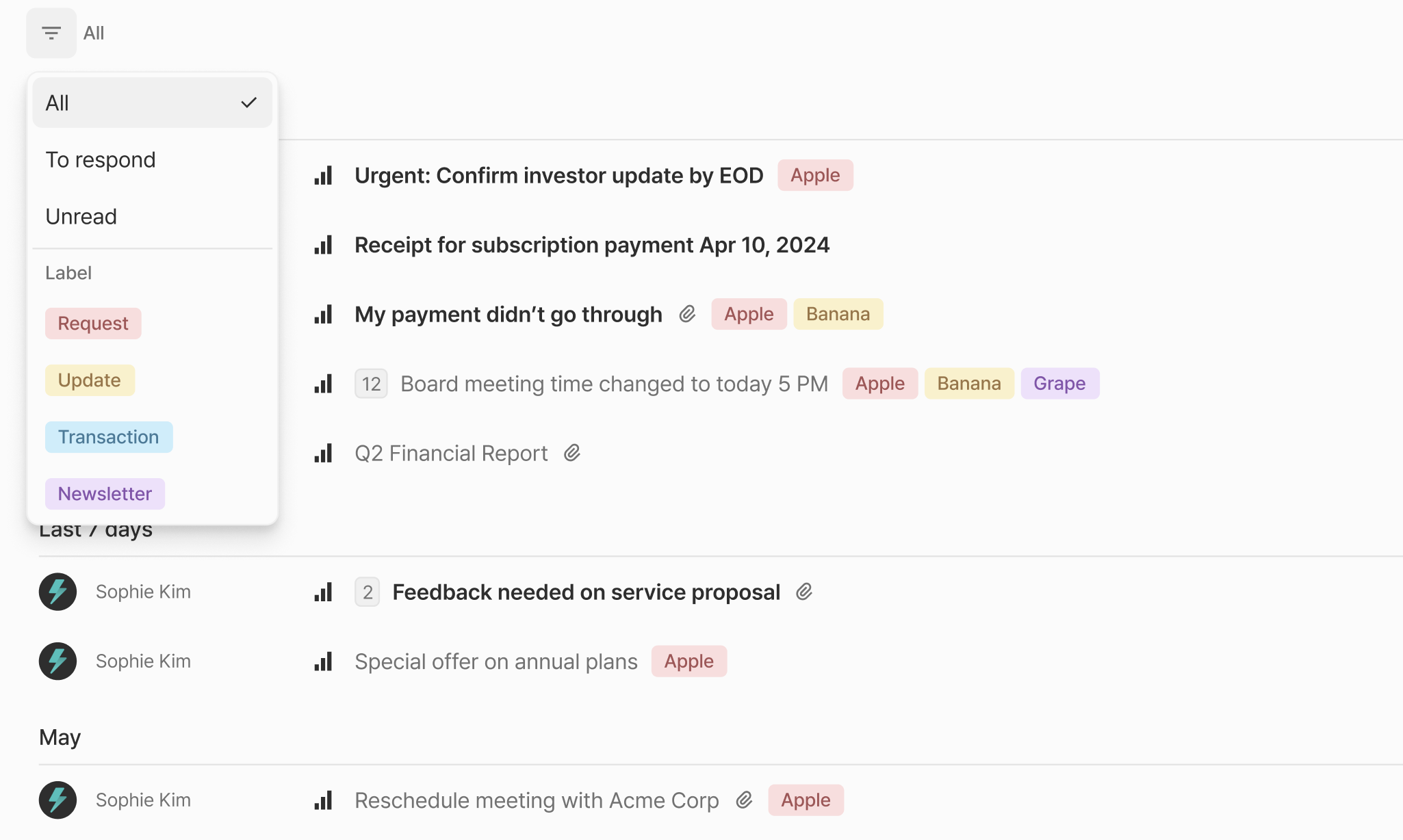
Design your own inbox. Filter by label, priority, unread status, or any combination you like.
Email Interaction
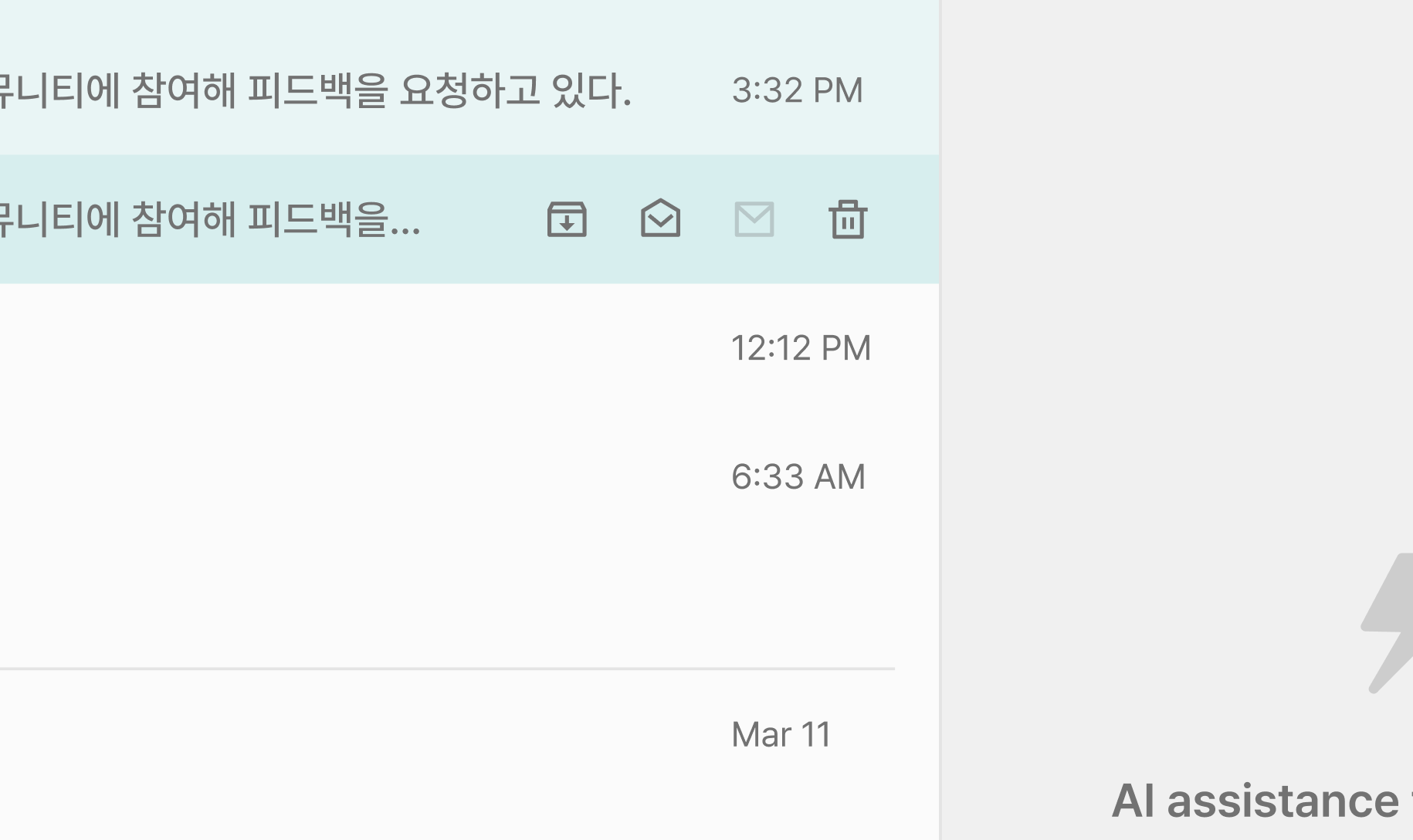
Previously, interacting with an email involved a two-step process: selecting the email first, then choosing an action like archive or delete.
Now, you can interact with each email instantly using icons that appear when you hover over them.
New contact panel behavior
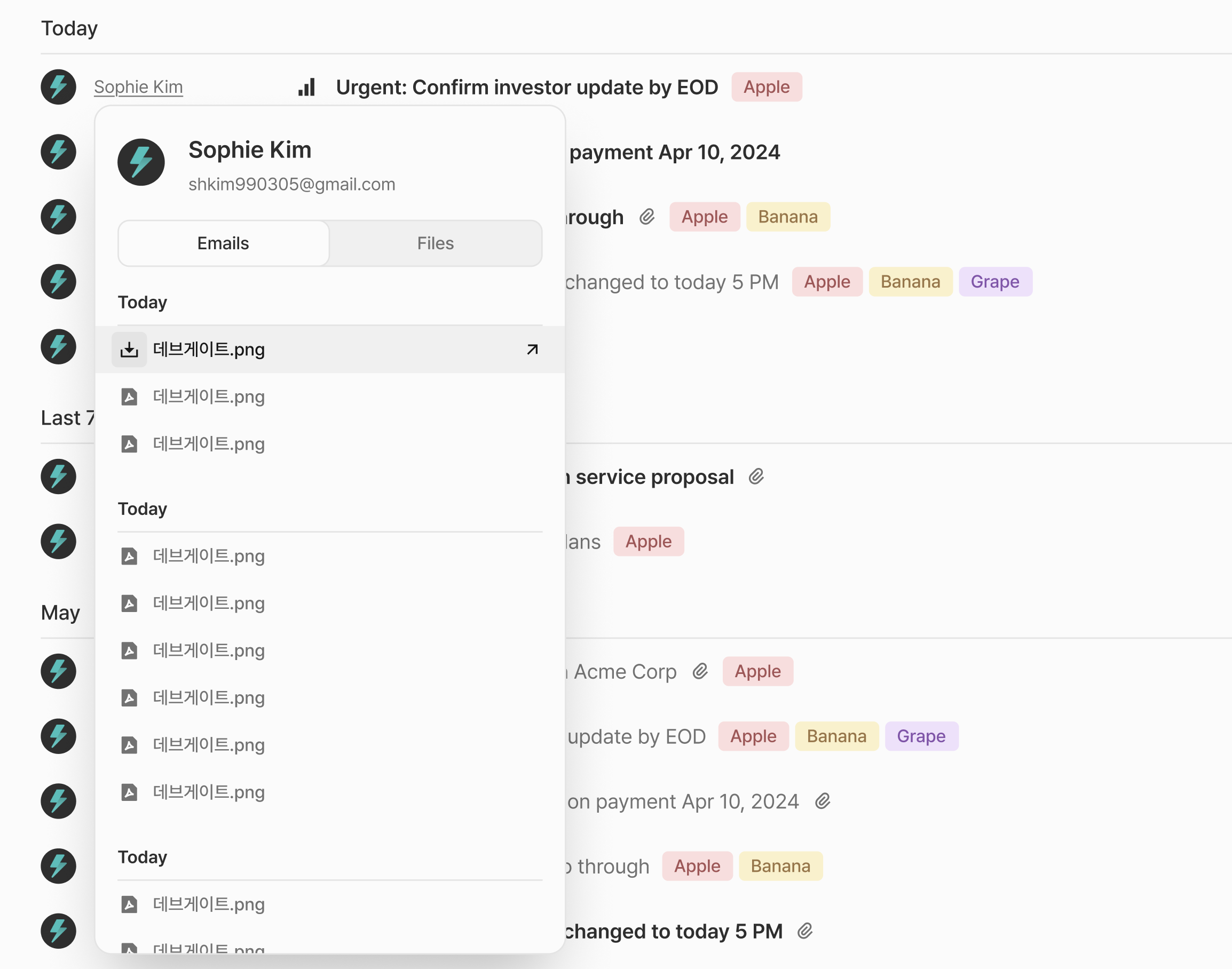
Contact Panel now opens as a smart popup, giving you more space where it matters.
Refined sidebar
To make room for the new split-view, the sidebar is now slimmer and more focused.
Streamlined onboarding
You’ll now register a card after your free trial ends, so more people can experience Taurin before making a decision.
Users who previously dropped off at the card registration step will now have their free trials automatically started upon their first login after the update
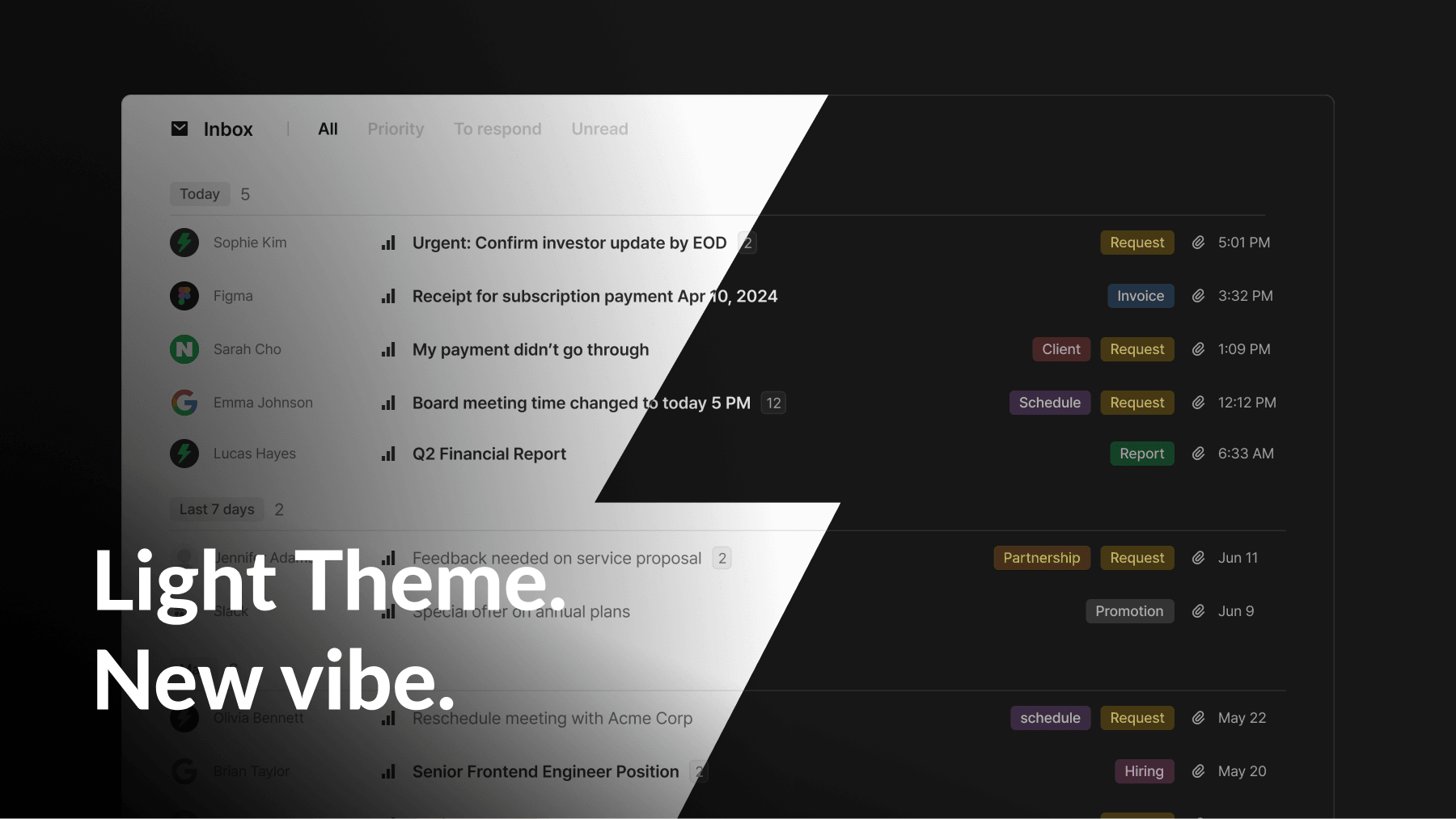
Light Theme. New vibe.
🚀 New
Pick your perfect theme
Light theme, dark theme, or follow your system settings. Choose the theme that suits your style.
When using dark theme, email content is automatically adapted to a low-light color scheme for comfortable viewing.
✨ Improved
New look, same focus
Taurin is back with a fresh new look:
New brand design
Updated color palette
A clearer, more balanced inbox design
It’s still fast and now, it looks even better.
Smoother than ever
We’ve made engine improvements to boost speed and stability.
Overall, you’ll notice a faster, smoother experience.
Bug Fixes & Style Updates
Fixed color on Google sign-in button
Resolved issue where “sent via Taurin off” setting was ignored
Fixed transparency issue with floating toolbar
Improved delete button styling
Fixed issue with Command+K shortcut not working
Resolved intermittent bug where email participants weren’t showing in thread details
Fixed issue where clicking participants didn’t open the contact panel if it was closed
Removed occasional scrollbars appearing on messages in thread view
Fixed visibility of the Plan nav item for users without a registered card (now hidden, with exception handling coming)
Say hello to your AI Agent
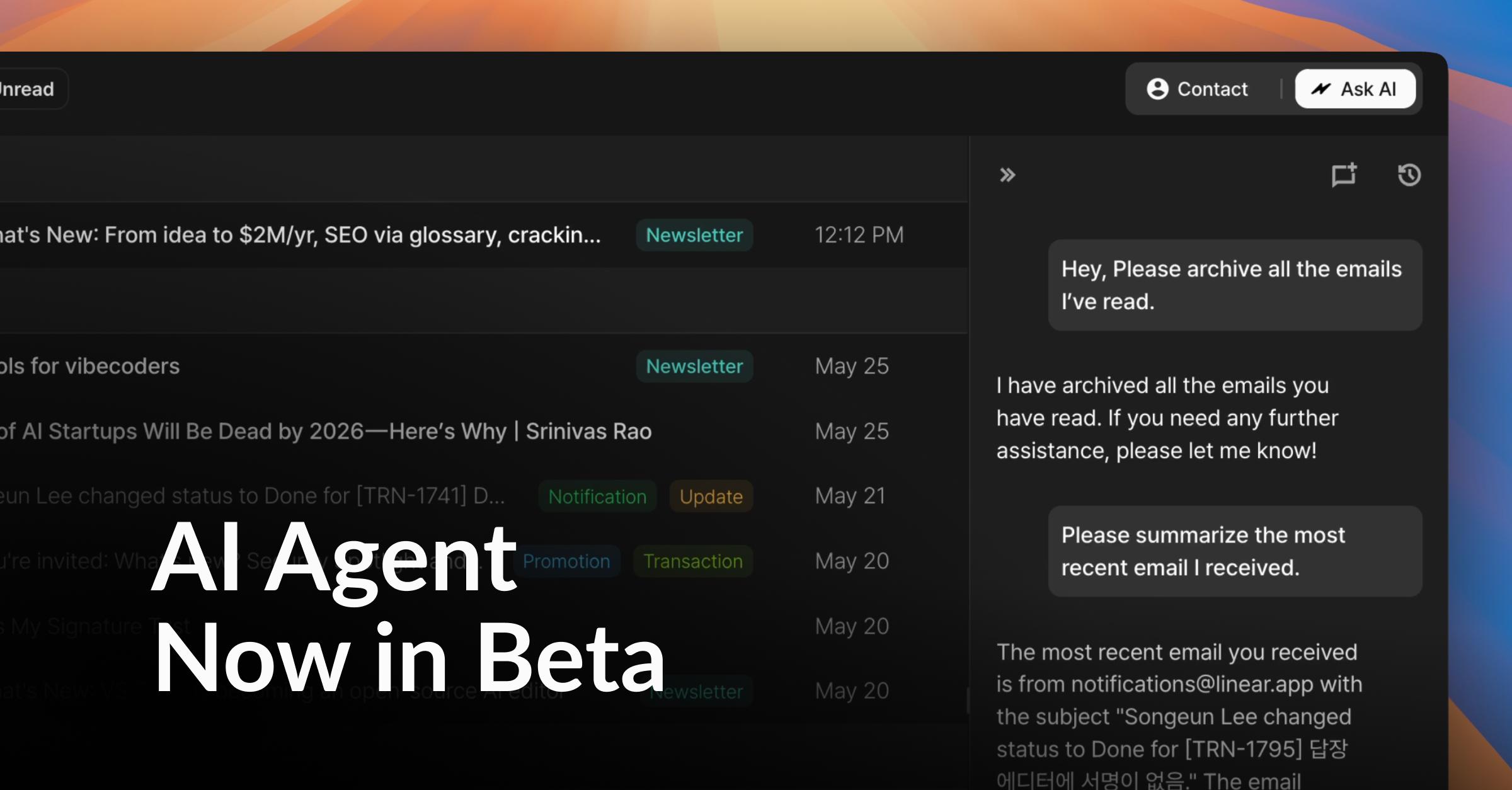
Plenty of tools help you stay organized.
Few actually do the work for you.
Now, Taurin does.
🚀 New
AI Agent (Beta)
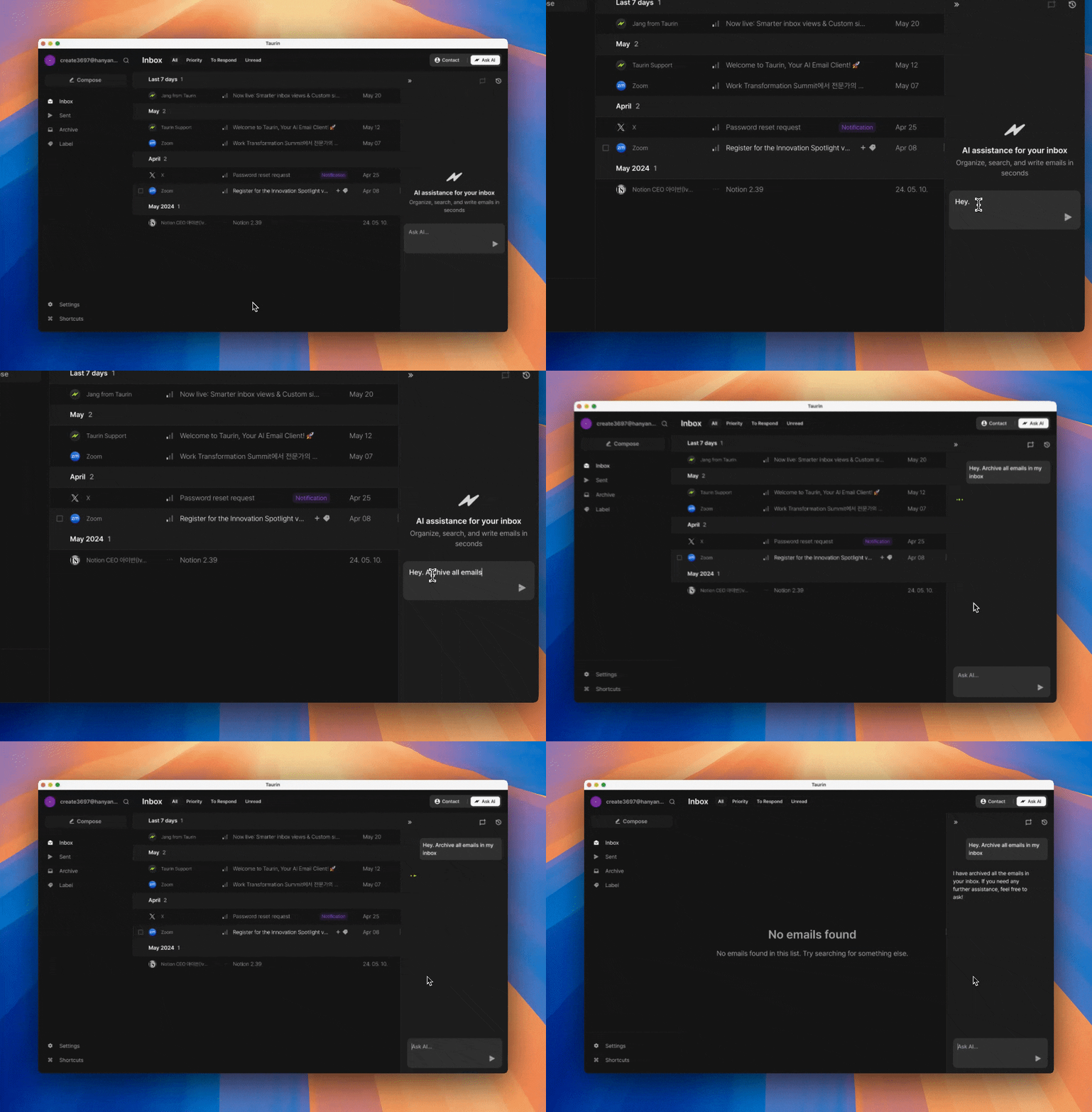
You can now ask Taurin to do things for you.
Find emails in your inbox
Mark emails as read or unread
Archive or unarchive emails
Translate email content (you’ll need to paste it into the Agent)
⚠️ Heads up: The Agent is still in beta.
It doesn’t yet understand which email you’re referring to when you say “this one,” and some actions might not work perfectly just yet.
But it’s already helpful and we’re improving it every week.
Responsive Web
While our full mobile app is still in the works, Taurin now supports mobile browsers.
Check your inbox and reply on the go
All inbox views (Priority, Unread, etc.) are available
Best for quick triage, not full workflows yet
No need to download anything. Just open Taurin in Safari or Chrome.
✨ Improved
New Settings Modal
The Settings page is now cleaner and easier to access.
Opens as a modal over your current view
No need to leave your inbox just to tweak a setting
Includes General, Labels, Signature, and Plan tabs
Focus Update: Signal & Signature

Some updates go quietly.
Others change how you write, send, and see everything.
🚀 New
Inbox View Switcher
Your inbox, now with multiple ways to see what matters.
→ Toggle between:
Inbox – all recent emails
Priority – grouped by importance from Urgent to Low
To Respond – waiting on your reply
Unread – all unread messages in one view
Priority View – rebuilt and refined
Previously removed due to list bugs, Priority View is back with a stronger foundation.
Now powered by the new Priority Signal system.
→ Emails are grouped by priority level
→ Helps you focus on what actually matters, not just what’s recent
Bulk actions
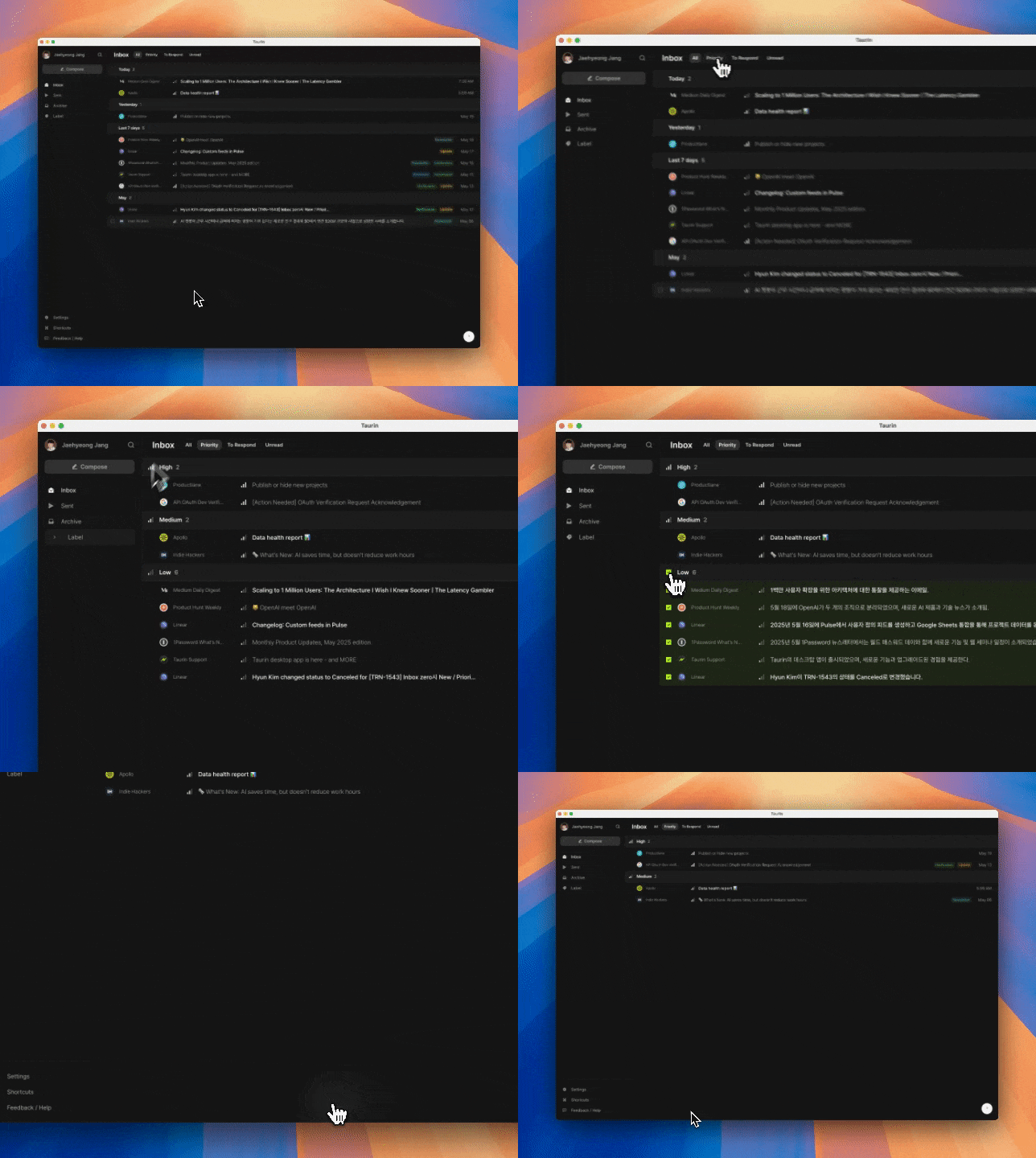
Declutter in one tap.
→ Click the icon next to a priority label to select all emails in that group
→ Press E to archive them all at once
→ Perfect for clearing out Low-priority clutter so you can focus on what matters
Now with more bulk options (mouse only):
→ Delete selected emails permanently from your workspace
→ Mark selected emails as read
→ Available via the toolbar when emails are selected
→ Keyboard shortcuts are under consideration and may come later
Signature Settings
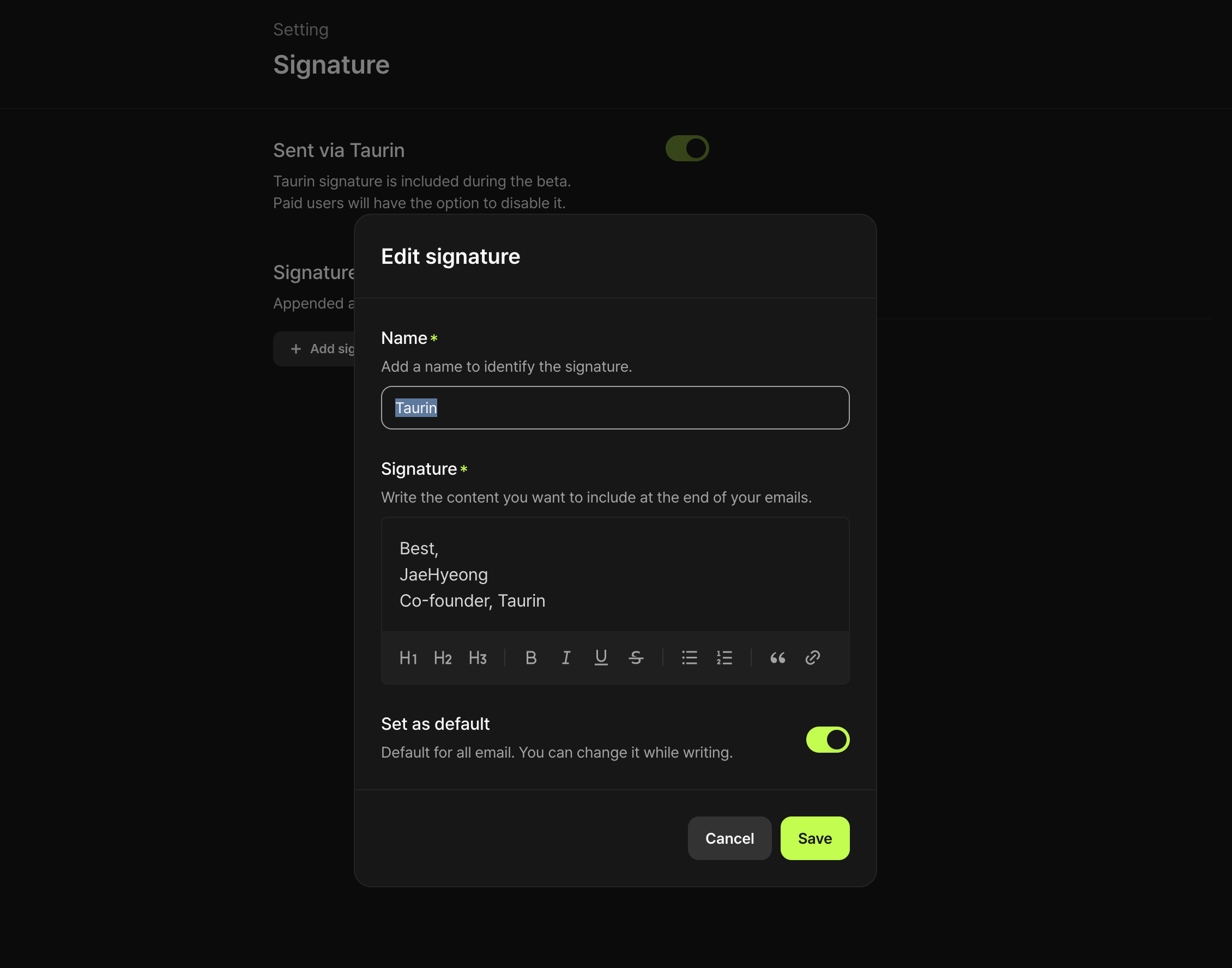
A new tab in Settings. clean and simple.
→ Paid users can now toggle Sent via Taurin
→ You can now create custom signatures
✨ Improved
Inbox, more refined
Small design touches, smoother layout.
→ The entire Inbox view feels lighter and more intentional
Better empty states
Clarity matters, especially when there’s nothing to show.
→ Empty vs. syncing states now clearly distinguished
→ Each section handles “nothing here” more gracefully
Multi-select, now more intuitive
Managing your inbox just got easier.
→ In addition to Shift + ↑ / ↓, you can now Shift + click to select a range
→ Makes bulk actions faster and more precise
Note:
Previously, you could archive a single hovered email with just a keyboard shortcut.
That shortcut has been removed for now, in favor of improving bulk control.
More improvements & fixes
Compose modal lingering after sending
The window didn’t close after sending. Now it does.
Email tracking bug
Some emails were marked as opened inside Taurin.
Fixed, but it applies only to emails sent from now on.
We have a desktop app now. 🚀
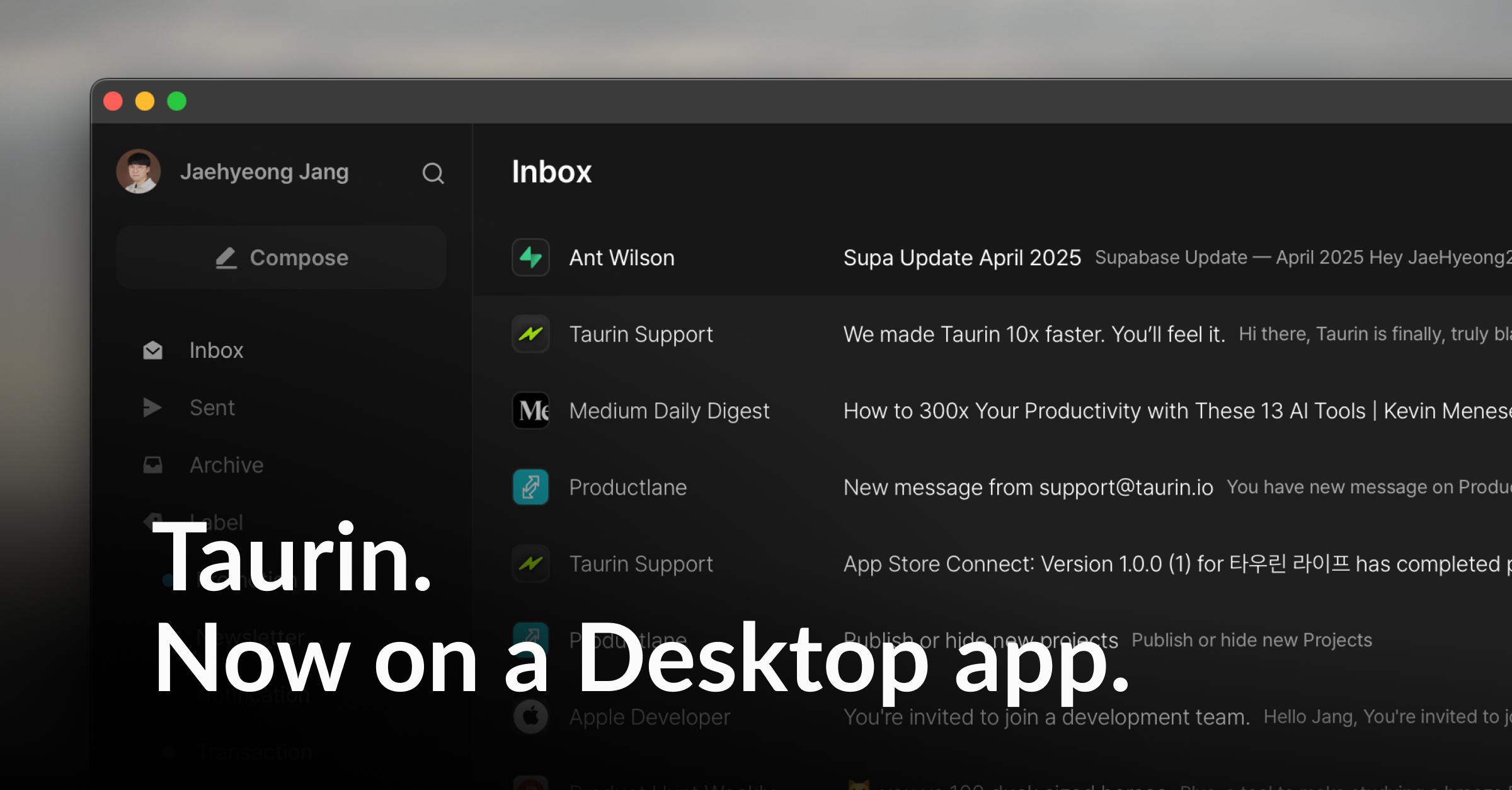
Taurin has finally stepped out of the browser.
One small window on your screen, a lighter inbox all day.
It’s the same Taurin you know, now just one click closer.
🚀 New
Taurin for Desktop
Desktop apps are now available for Mac and Windows
Auto-login support - no need to open a browser anymore
Pin it to your Dock or Taskbar and treat it like a real email client
📥 Download here: https://www.taurin.io/download
✨ Improved
Thread View Redesign
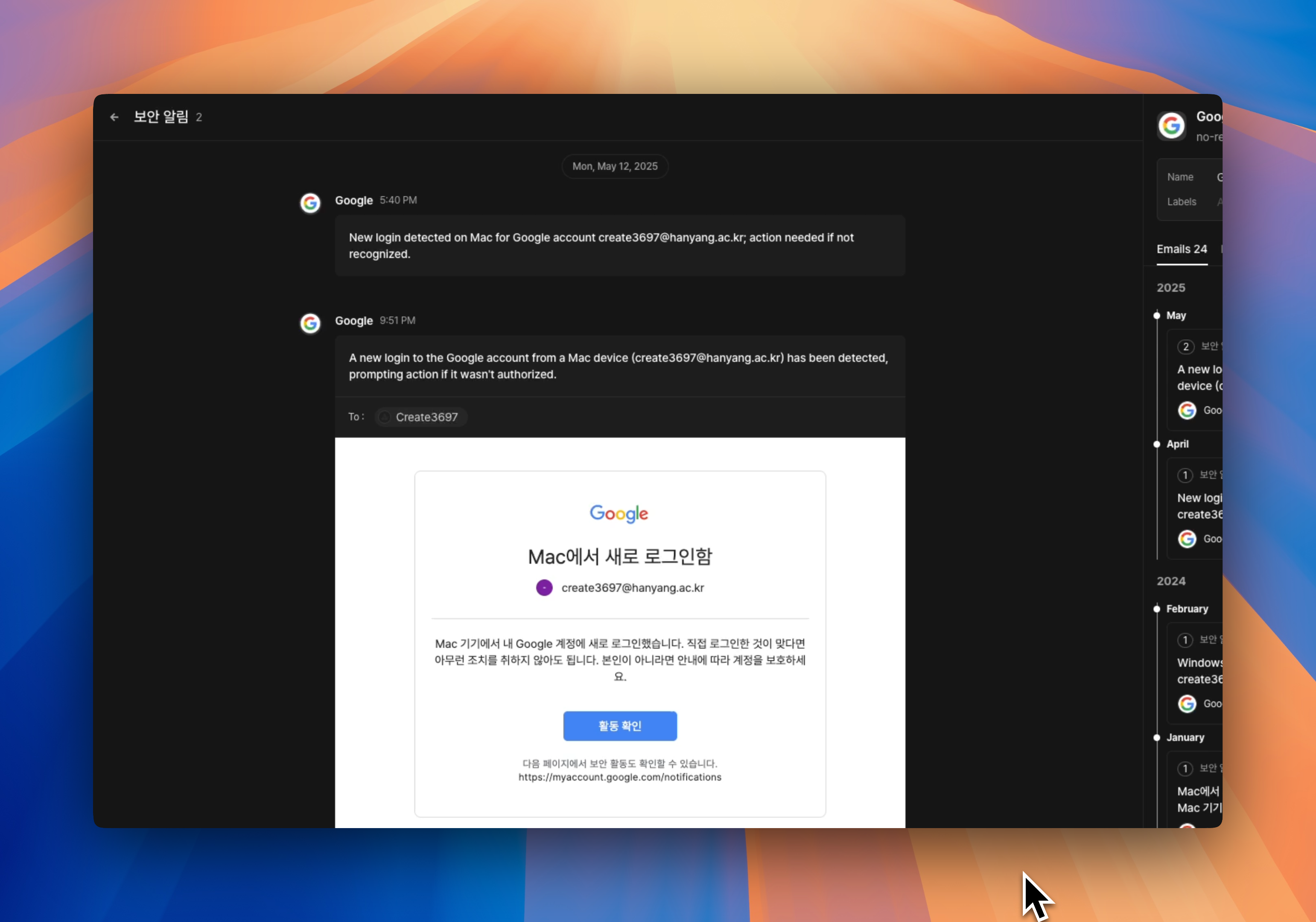
Each email thread now shows individual messages in a clearer layout
→ Sent emails appear on the right, received on the left
→ You can expand each email to view its full content
→ Makes it easier to follow long conversations without losing context
Smarter Contact Panel
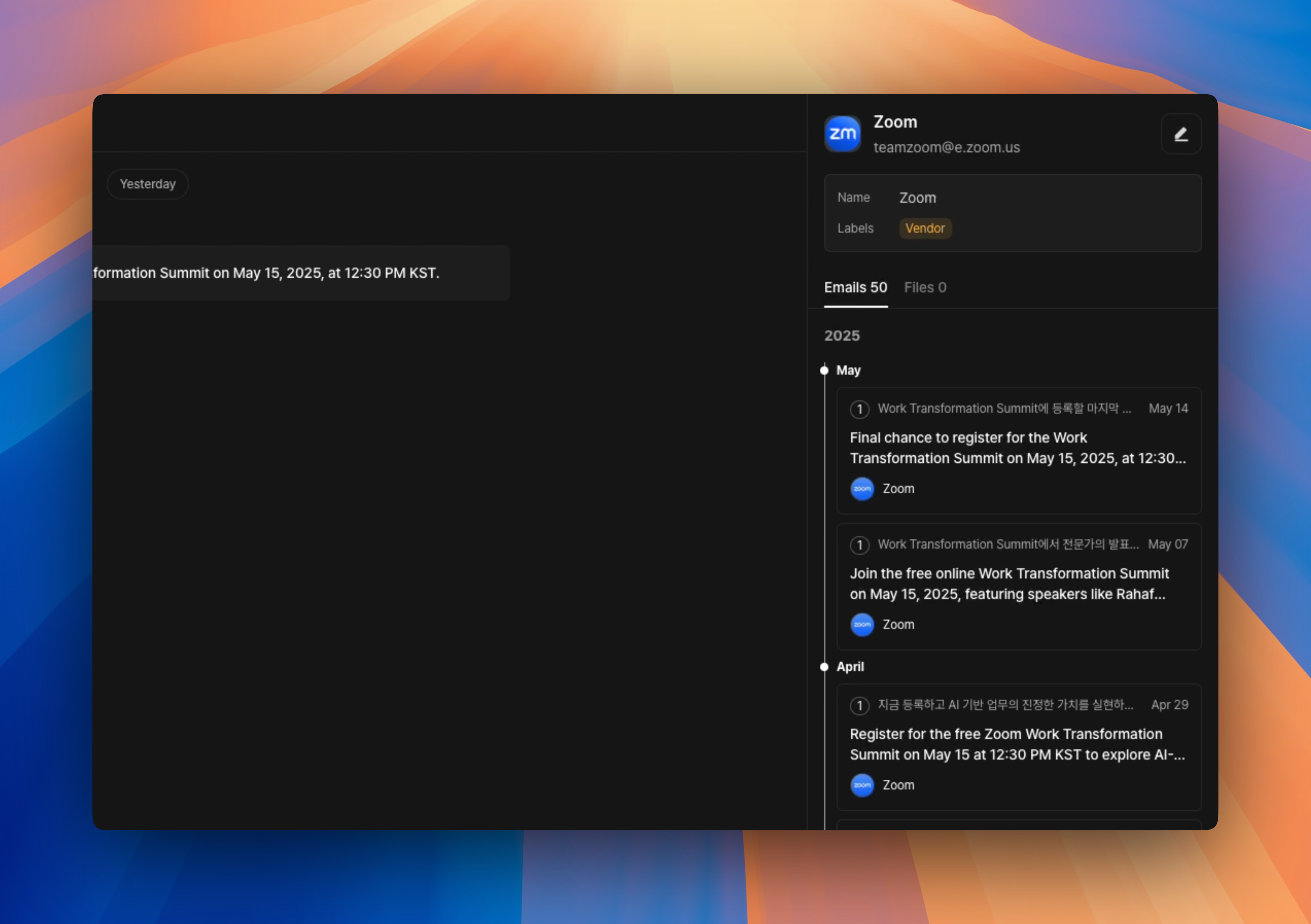
You can now see the full history of your conversations with someone without leaving the screen.
Messages are grouped by thread and shown in timeline order
All shared files are neatly listed in one place
No more jumping across tabs or digging through your inbox.
Inbox UX improvements
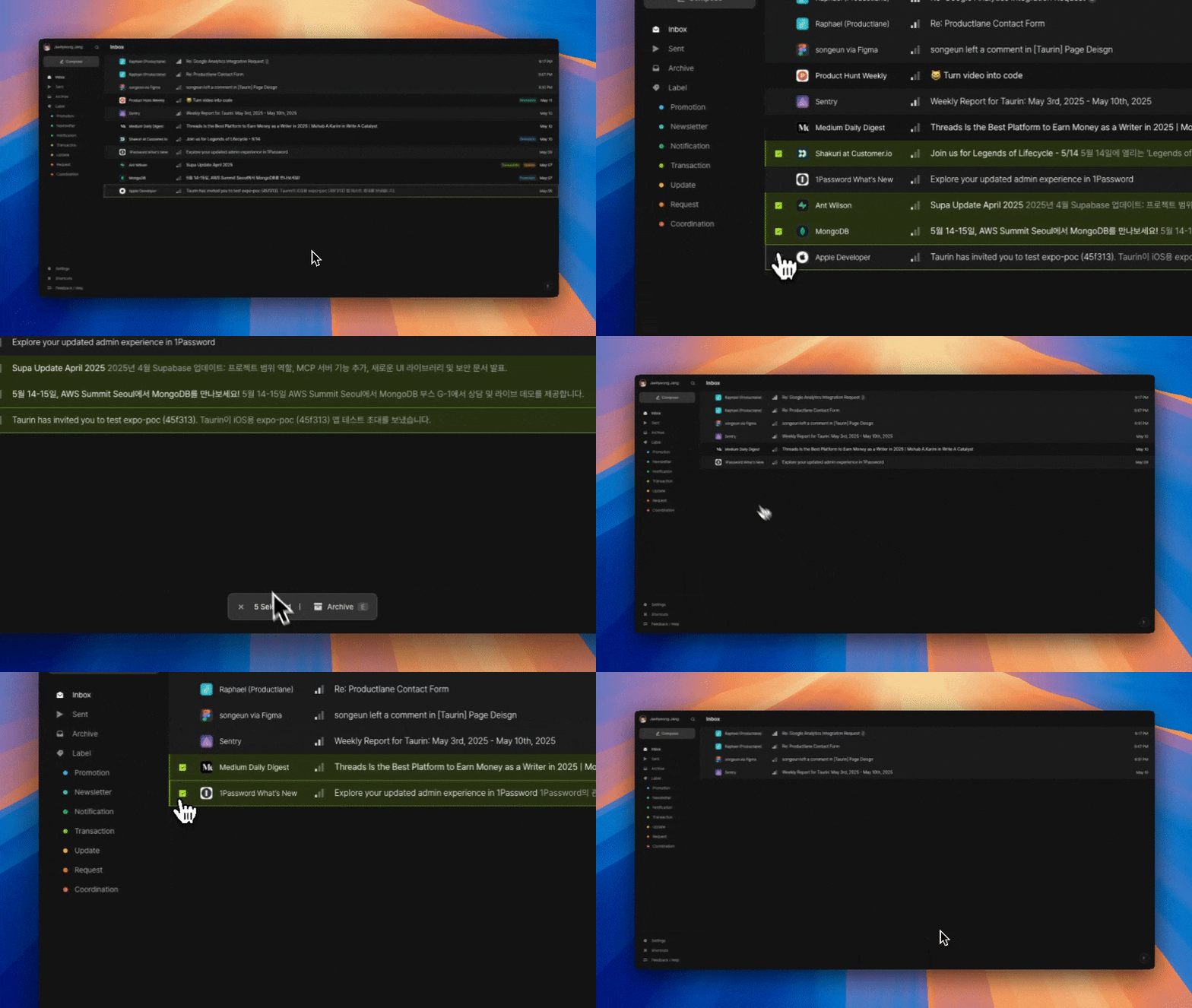
Hover over an email to reveal checkboxes
→ Makes it easier to archive, multi-select, or manage threads
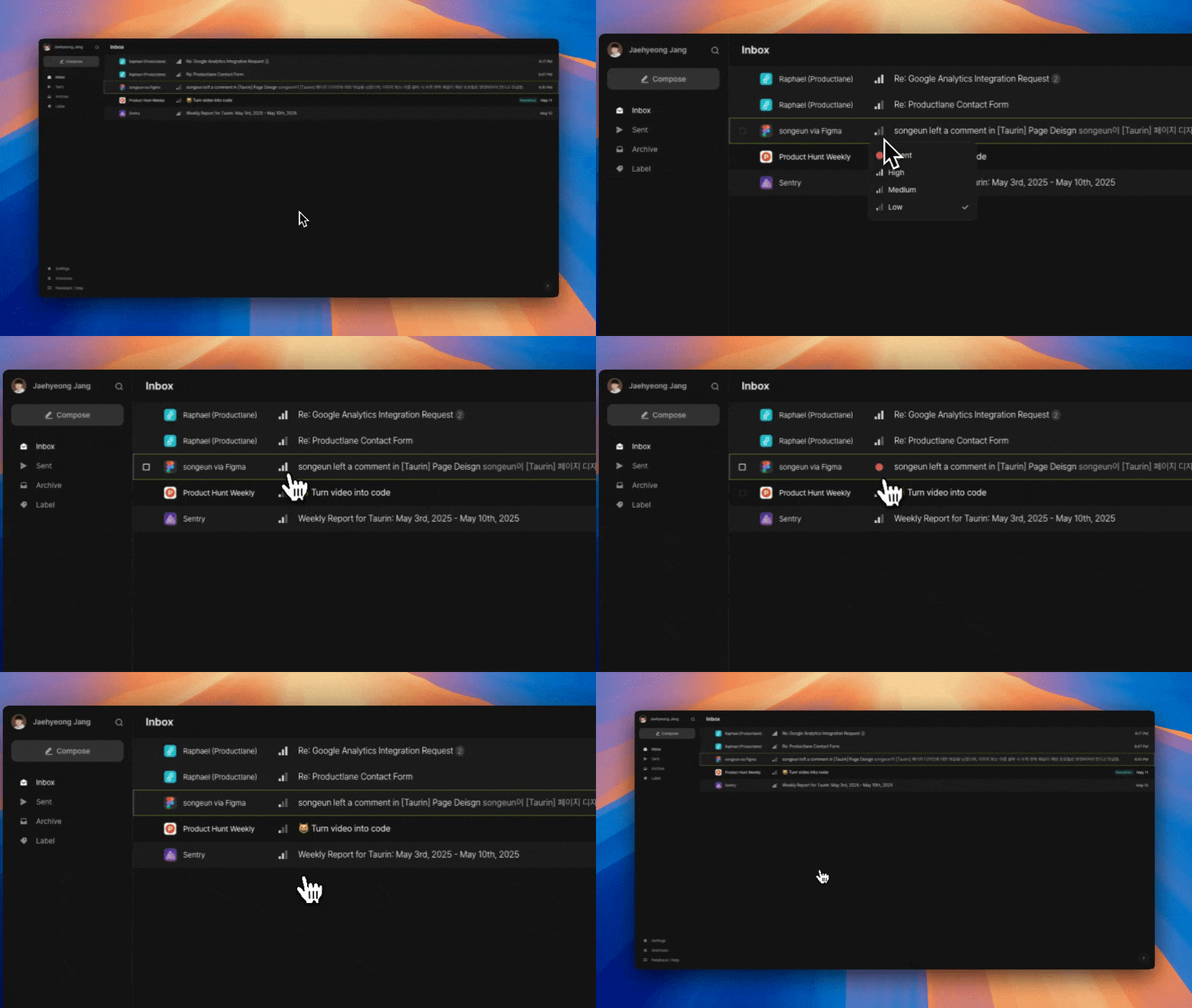
Each email now shows a visual Priority Signal
→ Quickly spot what needs your attention first
→ You can click the icon to update priority
More improvements & fixes
Link insertion is now supported in the email editor
Updated sidebar shortcuts for Inbox, Sent, and Archive
→ Changed from Alt + 1~3 to G + I/S/A for better intuitiveness
Fixed several email body rendering issues, including:
→ Broken styles (e.g., invisible button text)
→ Links not opening properly
→ Font fallback to Myeongjo (now replaced with Pretendard)
The speed update you’ve been waiting for
Taurin sometimes felt a little slow to load the inbox.
And the contact info inside each email row often took even longer to appear.
Over the past few days, we rebuilt our infrastructure from the ground up.
Now everything feels faster, smoother, and snappier.
No more lag. No more waiting.
Taurin responds as fast as you think.
⚡ A noticeably faster frontend
You’ll feel the difference when:
Loading the email list
Waiting for contact info to appear inside each message row
Switching between threads or interacting with the interface
It feels like a new app. Try it and see for yourself.
🚧 Priority View is temporarily hidden
To ship this speed upgrade quickly, we temporarily disabled the Priority View.
We’re making it more reliable and more accurate, and it will be back soon.
More improvements & fixes
Reduced unnecessary re-renders and memory usage
Faster loading for high-volume inboxes
Known issues
We’re aware of a couple of things still in progress:
Sent list checkmarks not showing correctly
Some emails in the Sent list don’t display the “read” checkmark properly.
Don’t worry, the tracking log is still available in the email detail view.
Preload inconsistency
In rare cases, some UI elements briefly flash or switch after initial render.
This is due to preload mismatches and will be fixed in an upcoming patch.
Your Inbox, Ranked by AI
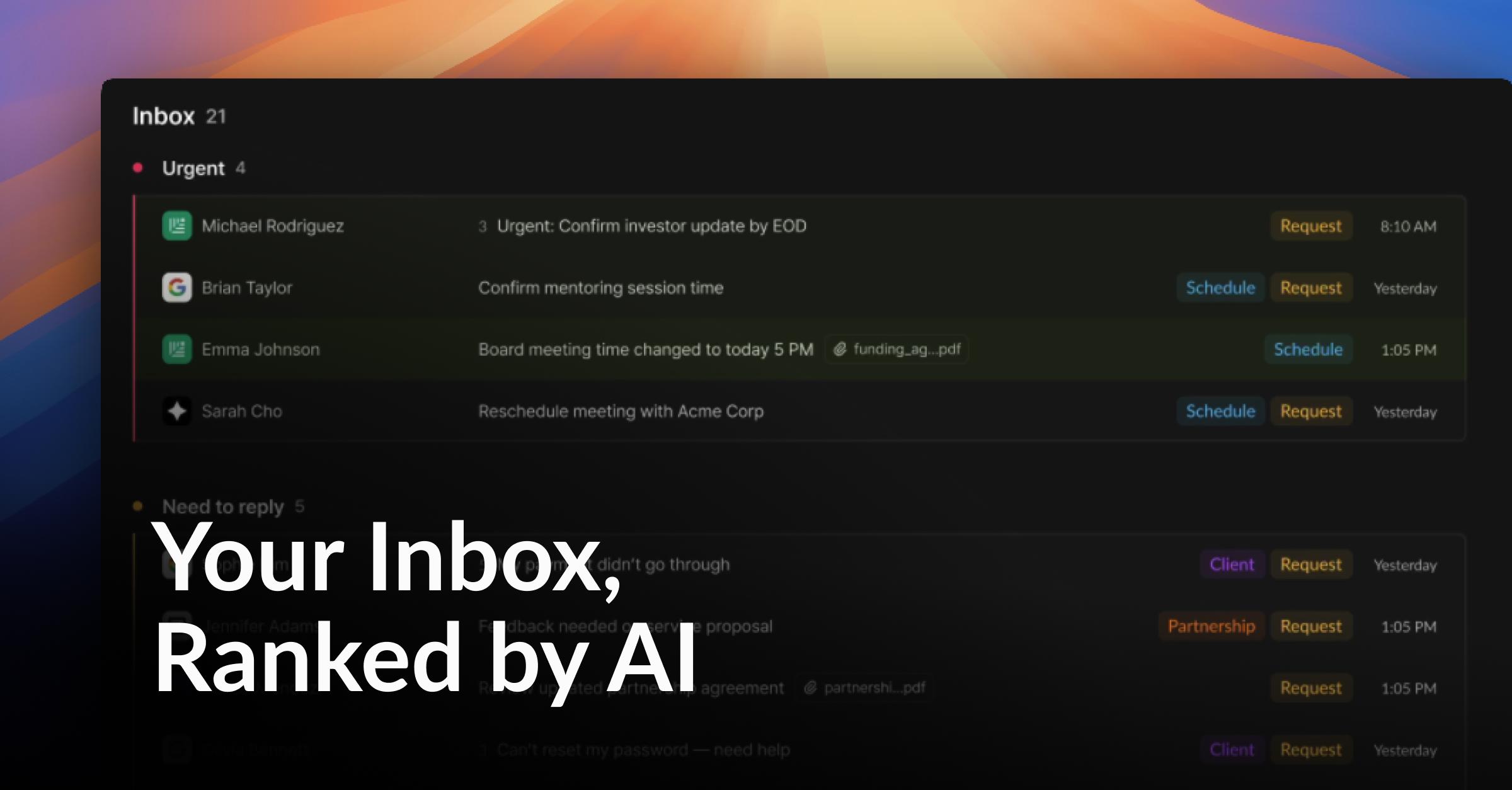
We’ve been working on a better way for your inbox to think.
Not just time-based sorting. Real triage, powered by AI.
Smarter Email Triage
Taurin now analyzes every email across three key dimensions.
It automatically groups emails by what actually needs your attention:
Urgent
Need to Reply
Important
Other
🆕 New: Inbox Priority Rank
No more digging through emails to figure out what to do first.
Taurin shows you exactly what matters.
Better Thread Navigation
🆕 New: Split View in Thread
Never lose the thread.
See the full conversation at a glance. Every message in context, right where it belongs.
Contact, Reimagined
🆕 New: Smarter Contact List
Contacts are no longer just names.
See relationship depth, interaction history, and more. All in one place.
Simplified Concepts
We’ve removed the Workspace structure.
Everything is now scoped directly to the user. No more abstract containers.
We’ve also removed Organizations, which turned out to be less useful than we hoped.
Contacts are now the single source of truth for relationships.
More improvements & fixes
Faster email sync speed.
Search bug fixes for faster and more accurate results.
Sidebar interactions are smoother and more intuitive.
Onboarding is now simpler with the removal of the Workspace concept.
See Your Inbox in a New Light
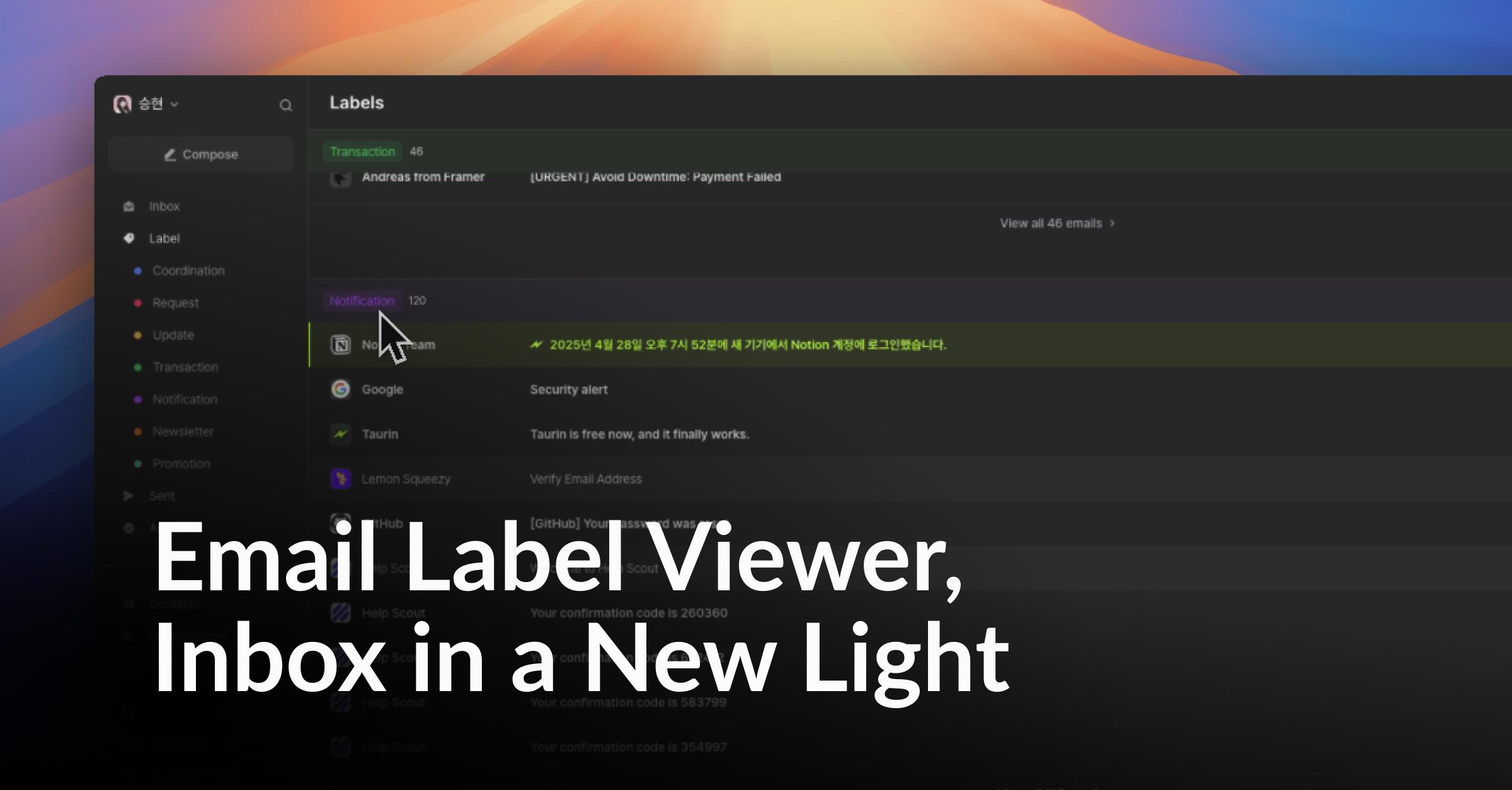
We want your inbox to feel lighter, sharper, and more yours.
Today, we’re giving you a new way to see what’s inside.
→ You can now filter emails by label.
Instead of scrolling endlessly, just jump straight to what you need, whether it’s sales leads, partnerships, or personal notes.
🆕 New: Email Label Viewer
A new filter option inside your inbox.
You can now view emails grouped by labels automatically assigned by AI.
Labels are now also accessible directly from the sidebar for quicker navigation.
Find things faster. Focus better.
More improvements & fixes
Archive animation feels smoother and quicker.
Message preview inside threads.
Fixed an issue on the Archive page where images didn’t update properly when archiving multiple emails in a row.
Faster email body loading.
Faster email sync speed.