
Email Tracking
What is email tracking?
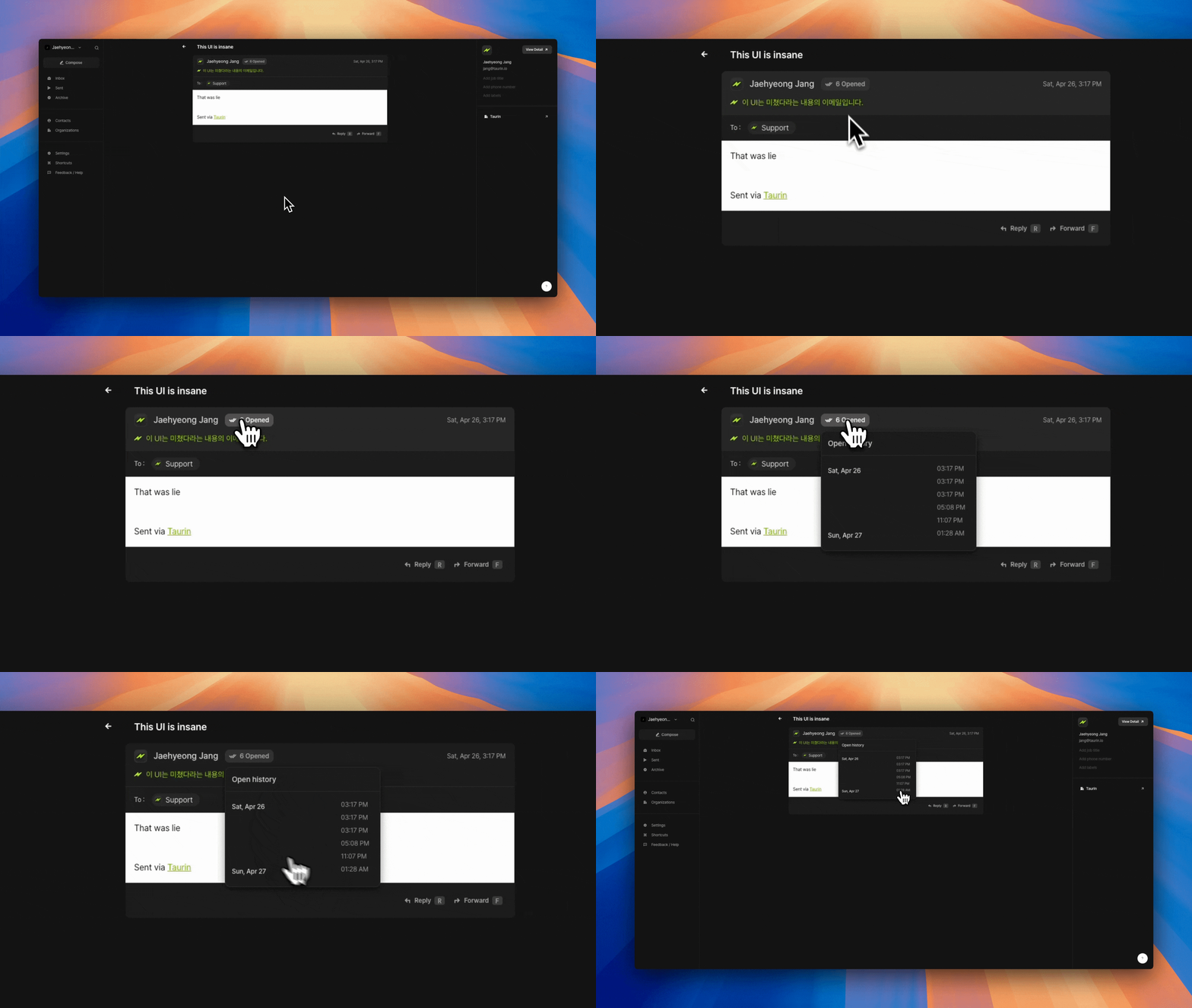
Taurin lets you see when someone opens an email you sent.
It’s built-in, automatic, and visible directly from the Sent tab.
This helps you understand if your message was seen and when.
How it works
When a recipient opens your email, a ✓ checkmark appears next to their name in the Sent tab
You can click into the email to see the full open history, including exact timestamps
No setup needed.
Every email you send through Taurin is tracked by default.
Built-in privacy shield
Taurin includes a tracking shield by default.
If someone opens your email using Taurin, we block tracking to protect their privacy.
This means:
You won’t see a checkmark
The open event won’t be recorded
Open tracking works only when your email is opened in external clients (like Gmail, Outlook, Apple Mail).
📌 Tip
If you don’t see a checkmark, the person may not have opened it yet or they’re using Taurin and are protected by the shield.Was this helpful?