
Taurin changelog
We have a desktop app now. 🚀
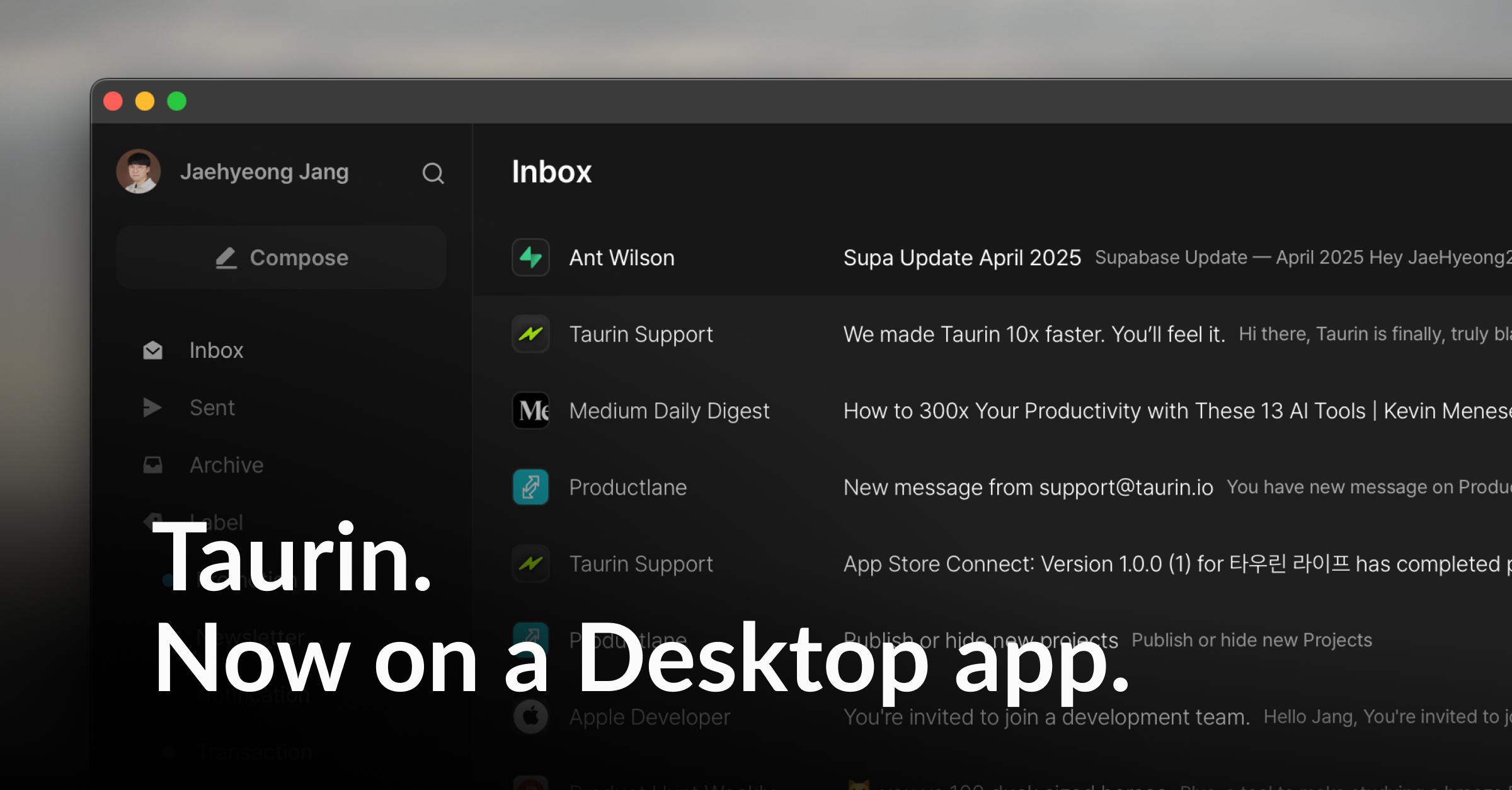
Taurin has finally stepped out of the browser.
One small window on your screen, a lighter inbox all day.
It’s the same Taurin you know, now just one click closer.
🚀 New
Taurin for Desktop
Desktop apps are now available for Mac and Windows
Auto-login support - no need to open a browser anymore
Pin it to your Dock or Taskbar and treat it like a real email client
📥 Download here: https://www.taurin.io/download
✨ Improved
Thread View Redesign
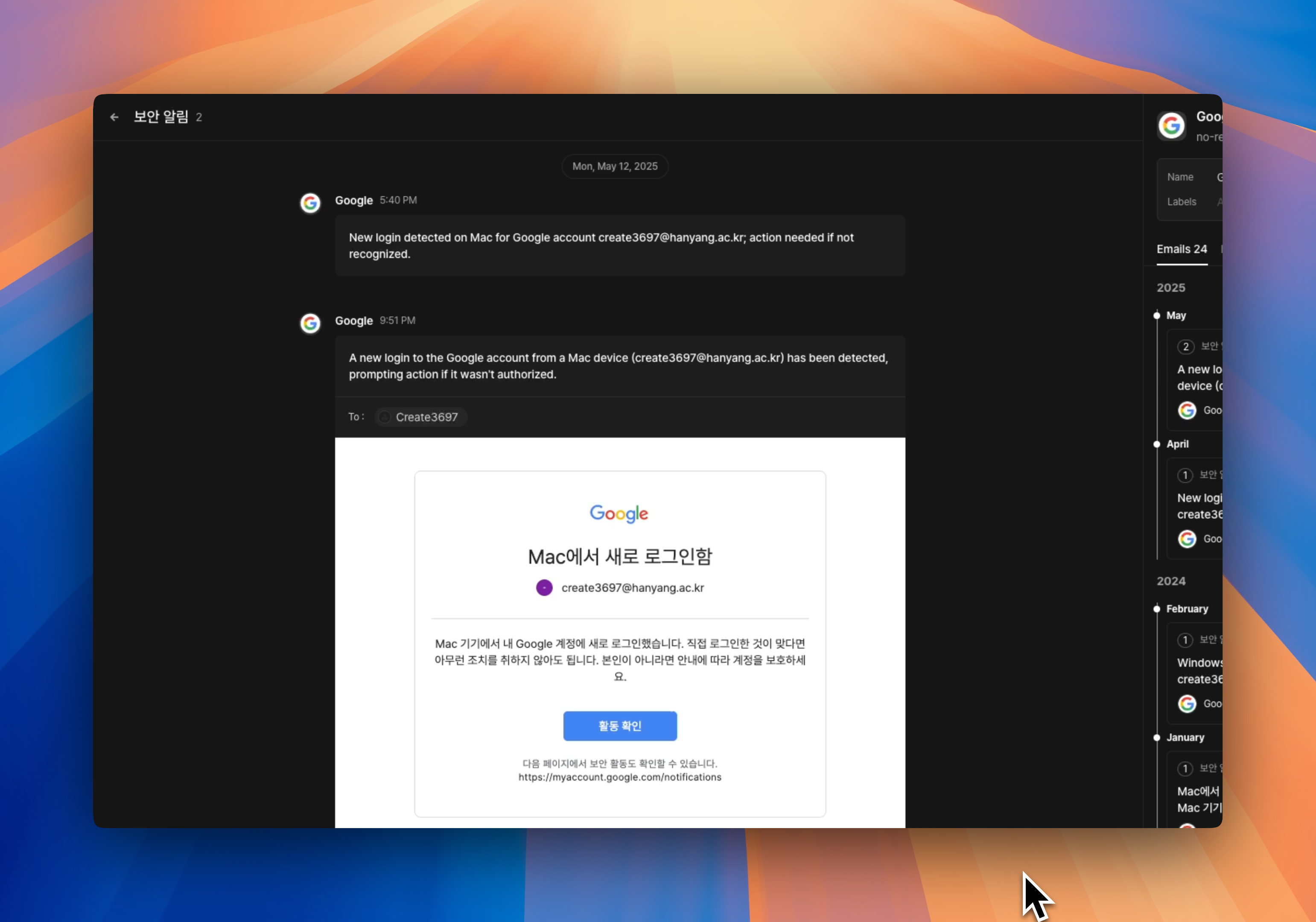
Each email thread now shows individual messages in a clearer layout
→ Sent emails appear on the right, received on the left
→ You can expand each email to view its full content
→ Makes it easier to follow long conversations without losing context
Smarter Contact Panel
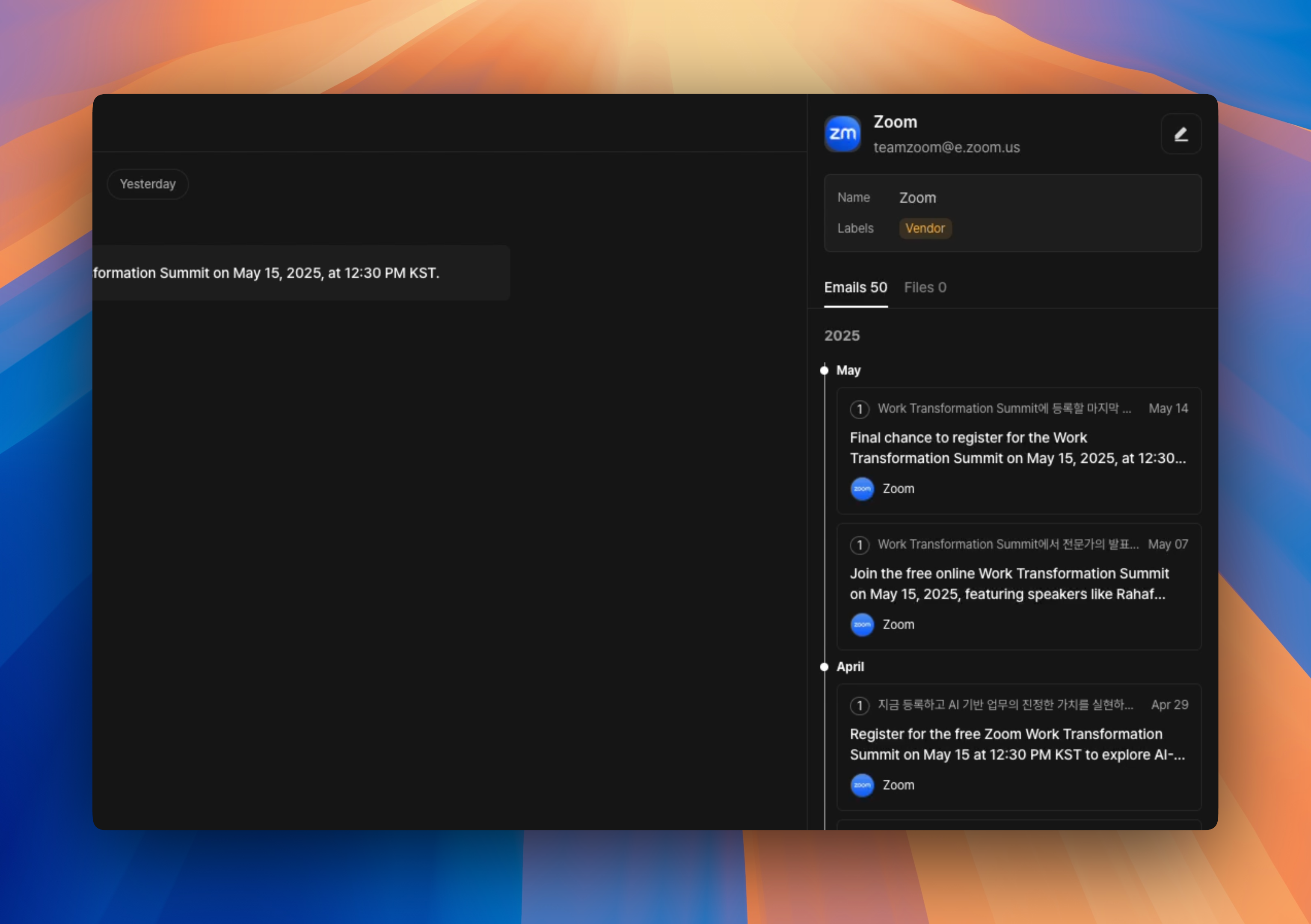
You can now see the full history of your conversations with someone without leaving the screen.
Messages are grouped by thread and shown in timeline order
All shared files are neatly listed in one place
No more jumping across tabs or digging through your inbox.
Inbox UX improvements
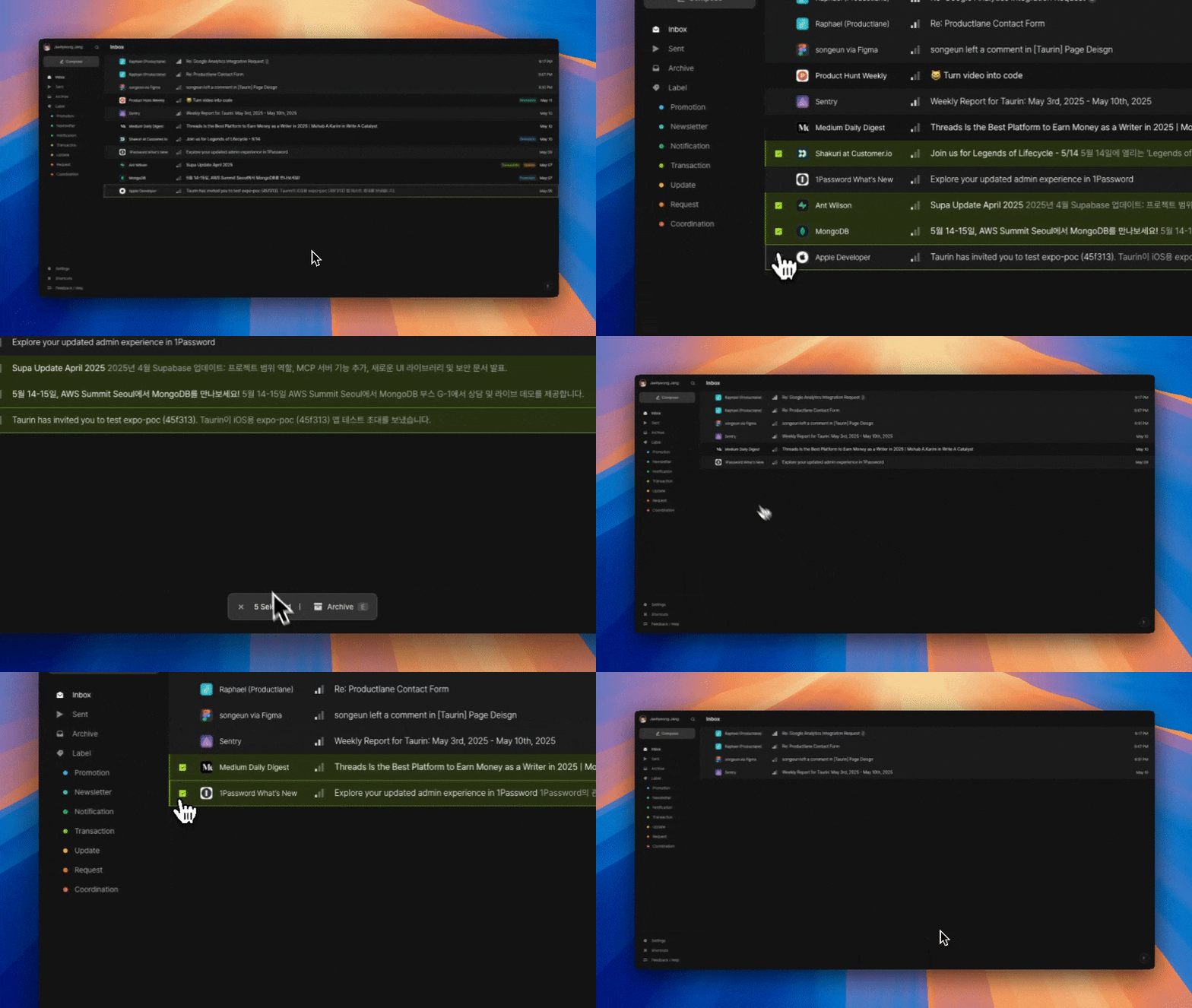
Hover over an email to reveal checkboxes
→ Makes it easier to archive, multi-select, or manage threads
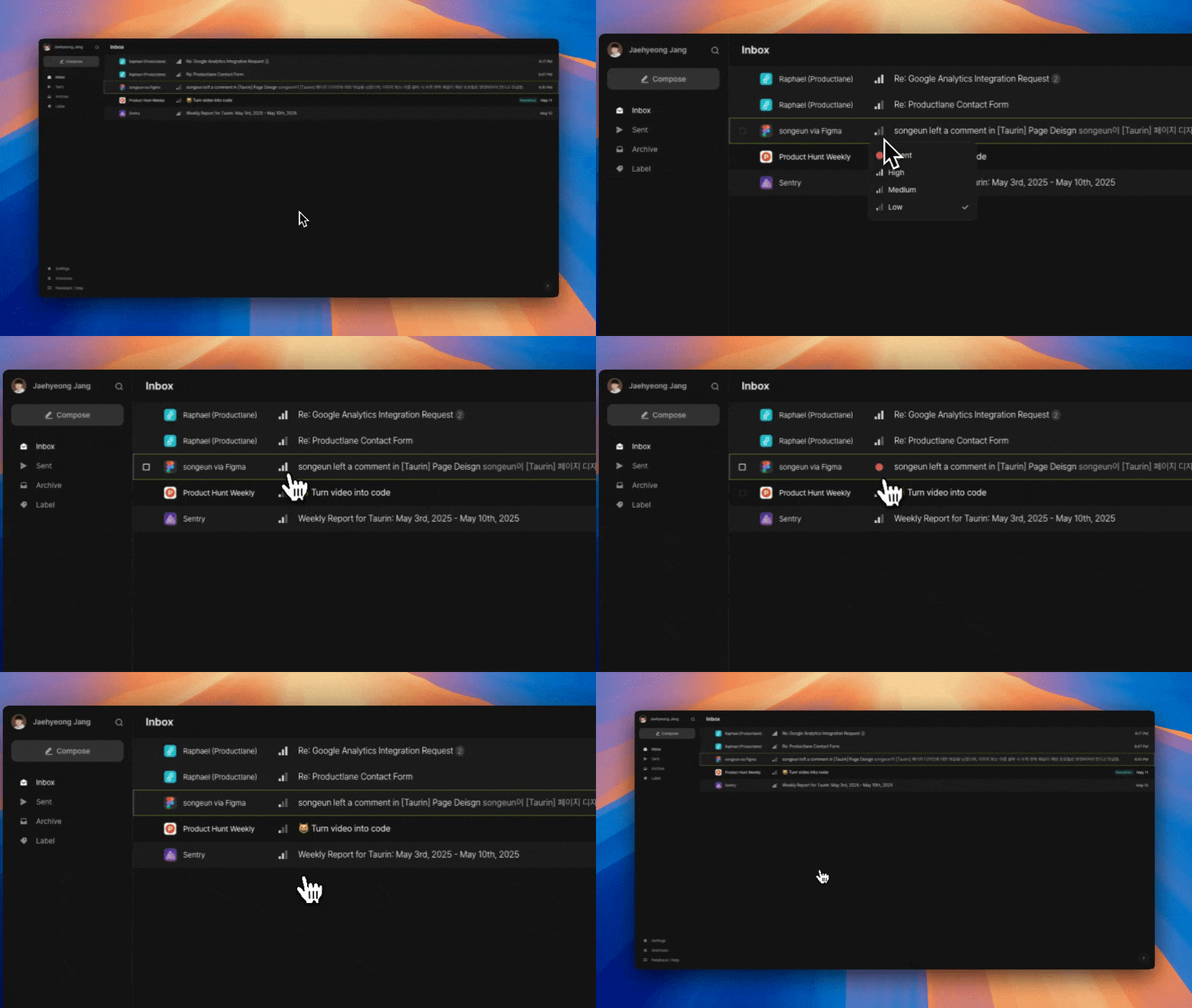
Each email now shows a visual Priority Signal
→ Quickly spot what needs your attention first
→ You can click the icon to update priority
More improvements & fixes
Link insertion is now supported in the email editor
Updated sidebar shortcuts for Inbox, Sent, and Archive
→ Changed from Alt + 1~3 to G + I/S/A for better intuitiveness
Fixed several email body rendering issues, including:
→ Broken styles (e.g., invisible button text)
→ Links not opening properly
→ Font fallback to Myeongjo (now replaced with Pretendard)