
Taurin changelog
Focus Update: Signal & Signature

Some updates go quietly.
Others change how you write, send, and see everything.
🚀 New
Inbox View Switcher
Your inbox, now with multiple ways to see what matters.
→ Toggle between:
Inbox – all recent emails
Priority – grouped by importance from Urgent to Low
To Respond – waiting on your reply
Unread – all unread messages in one view
Priority View – rebuilt and refined
Previously removed due to list bugs, Priority View is back with a stronger foundation.
Now powered by the new Priority Signal system.
→ Emails are grouped by priority level
→ Helps you focus on what actually matters, not just what’s recent
Bulk actions
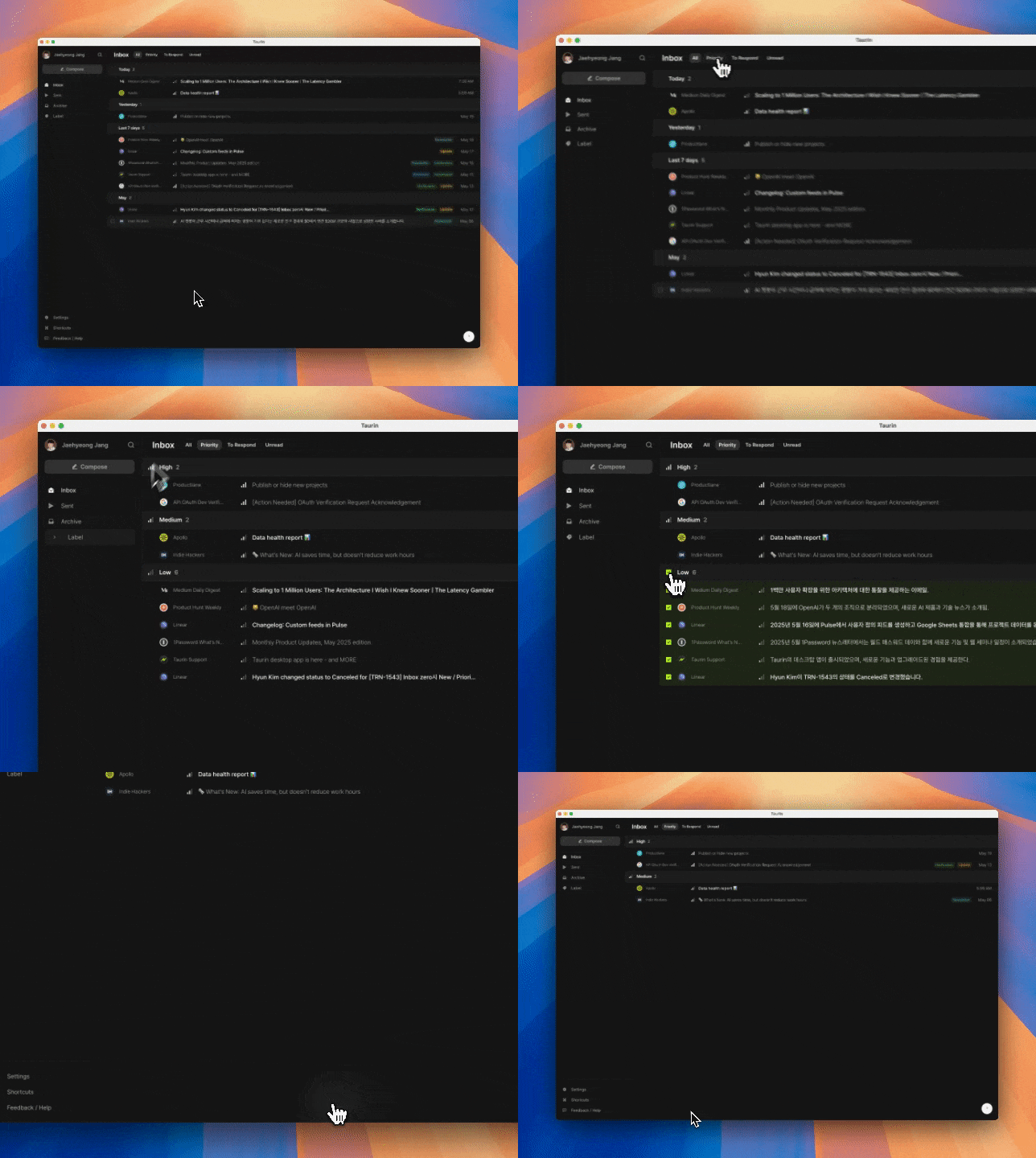
Declutter in one tap.
→ Click the icon next to a priority label to select all emails in that group
→ Press E to archive them all at once
→ Perfect for clearing out Low-priority clutter so you can focus on what matters
Now with more bulk options (mouse only):
→ Delete selected emails permanently from your workspace
→ Mark selected emails as read
→ Available via the toolbar when emails are selected
→ Keyboard shortcuts are under consideration and may come later
Signature Settings
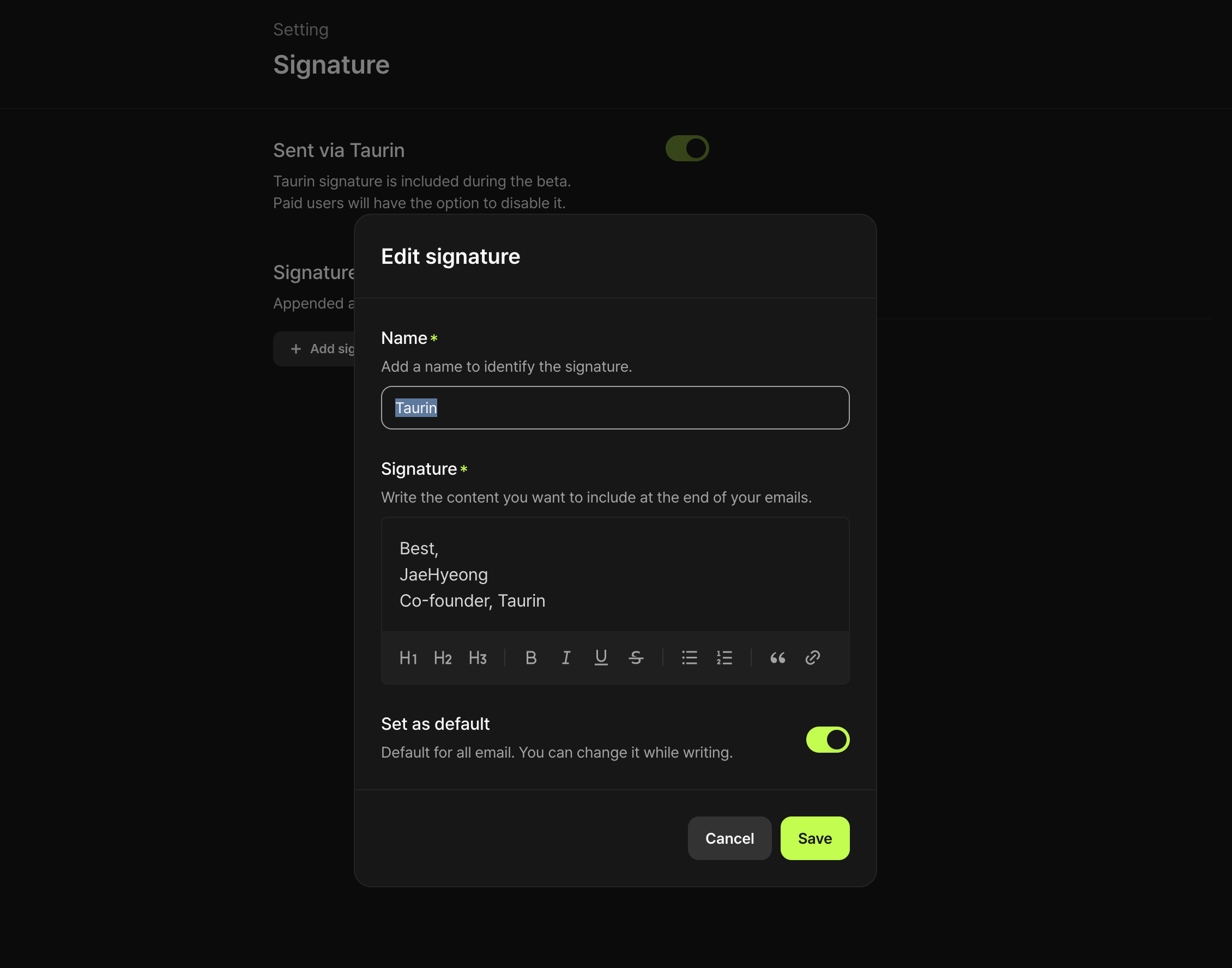
A new tab in Settings. clean and simple.
→ Paid users can now toggle Sent via Taurin
→ You can now create custom signatures
✨ Improved
Inbox, more refined
Small design touches, smoother layout.
→ The entire Inbox view feels lighter and more intentional
Better empty states
Clarity matters, especially when there’s nothing to show.
→ Empty vs. syncing states now clearly distinguished
→ Each section handles “nothing here” more gracefully
Multi-select, now more intuitive
Managing your inbox just got easier.
→ In addition to Shift + ↑ / ↓, you can now Shift + click to select a range
→ Makes bulk actions faster and more precise
Note:
Previously, you could archive a single hovered email with just a keyboard shortcut.
That shortcut has been removed for now, in favor of improving bulk control.
More improvements & fixes
Compose modal lingering after sending
The window didn’t close after sending. Now it does.
Email tracking bug
Some emails were marked as opened inside Taurin.
Fixed, but it applies only to emails sent from now on.