
Signature
What is a signature?
A signature is a text block added to the end of your emails, usually for contact info, job title, or closing remarks.
In Taurin, you can:
Create multiple signatures
Apply rich formatting, including headings, styles, lists, links, images
Choose your default signature
Change or remove the signature while composing
Managing your signatures
Go to Settings > Signature to:
Add a new signature with a name and content
Set one as the default
Edit or delete any existing signature
Signatures are managed independently for each workspace.
Choosing a signature while writing
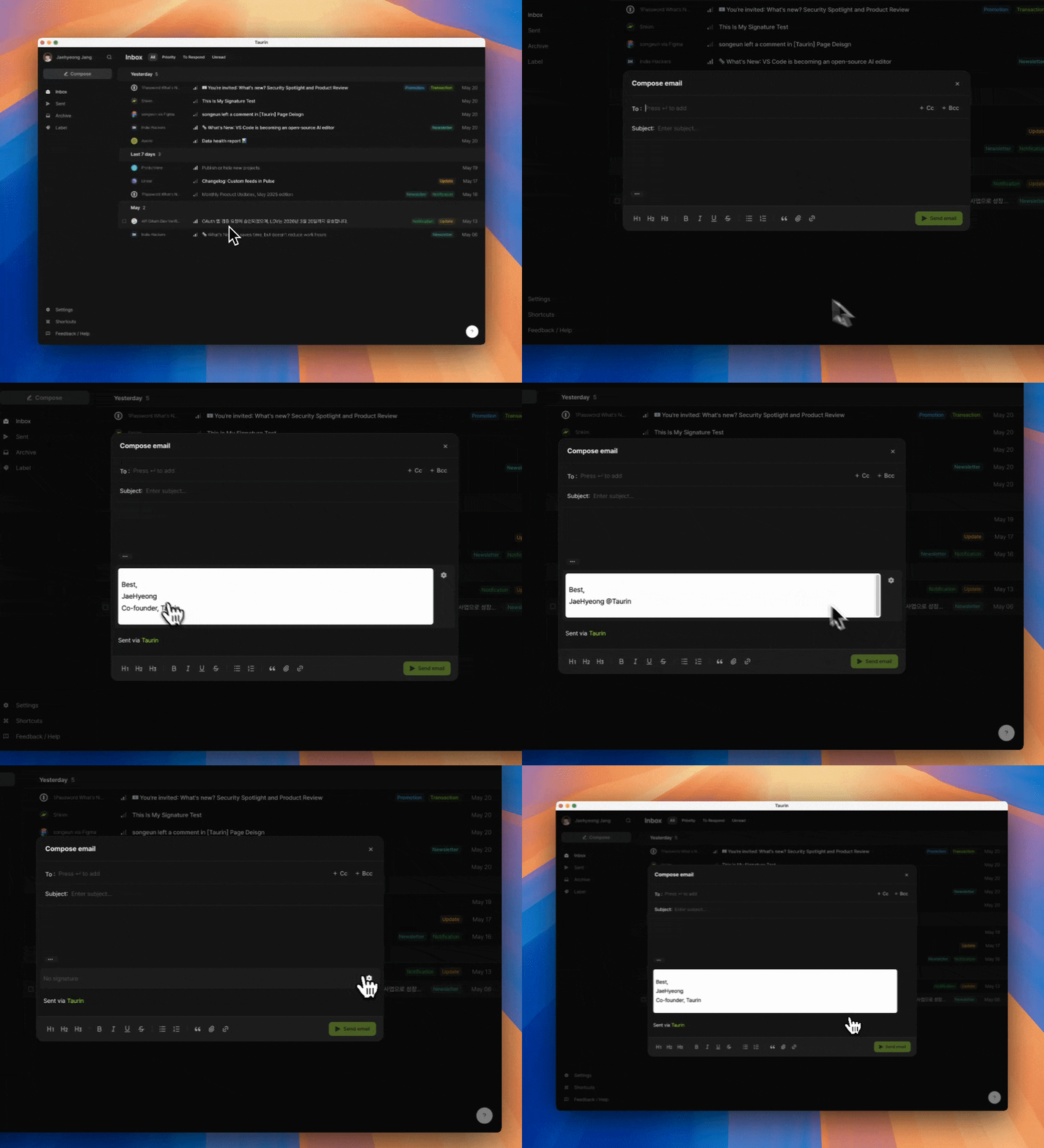
While composing an email:
Click the ... icon at the bottom of your message
Hover over the signature block
Click the ⚙️ icon to:
Switch signatures
Remove it (select No signature)
Jump to Signature settings
This lets you personalize each email, even after setting a default.
Sent via Taurin
During the beta, every email includes a subtle “Sent via Taurin” signature.
This cannot be disabled while on a free plan.
✅ Paid users will have the option to turn this off.
Was this helpful?