
Multi-Domain Search
Retrieve results for messages, contacts, and files all in one go without switching contexts. All results are sorted by similarity, ensuring the most relevant matches appear first.
⚡️ Shortcuts
Arrow keys - navigate search results
Enter - view selected email
Esc - close search section
Tabbed Search Interface
Search results are organized into five tabs, each focusing on a specific content type:
All Tab

Displays combined results from all categories
Shows the total number of matches
Provides a comprehensive overview of all content matching your query
Contact Tab

Lists individual contacts matching your search
Displays contact names, email addresses, and organizations
Email Tab

Shows email messages containing your search terms
Displays subject lines, preview text, and dates
File Tab
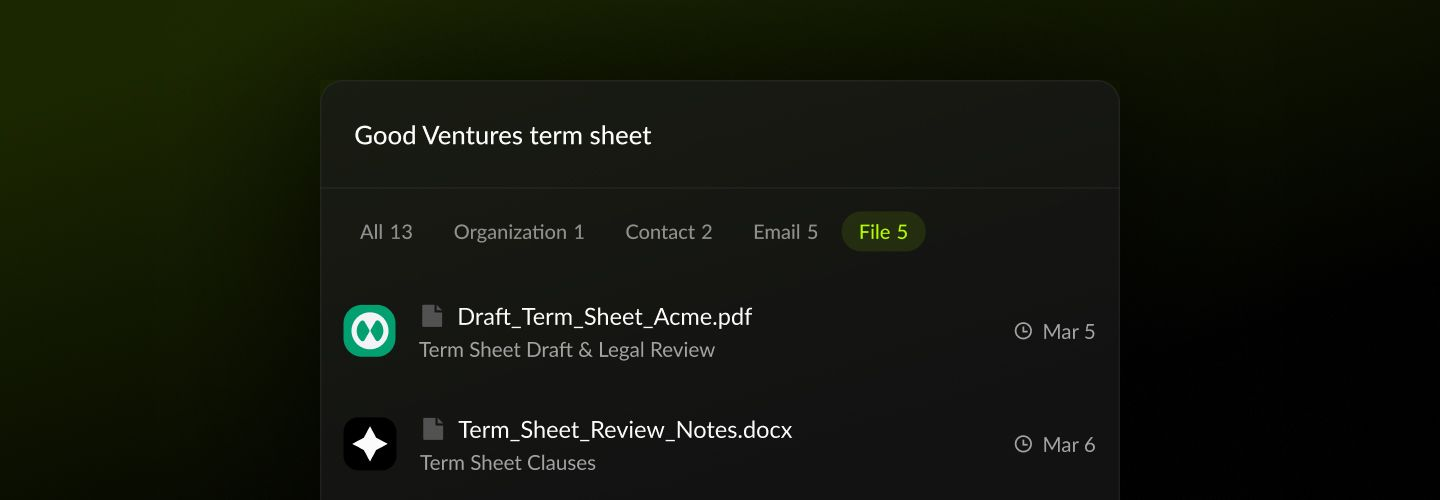
Lists files and attachments matching your query
Shows file names, sizes, and associated emails
Was this helpful?